Battery Replacement Phone: A Practical DIY Guide
Learn how to safely replace a phone battery, choose the right parts, weigh DIY vs professional service, test the new cell, and dispose of old batteries with expert guidance from Your Phone Advisor.


By the end of this guide you’ll be able to replace a phone battery safely, choose a compatible battery, gather the right tools, and decide between a DIY upgrade or a professional service. You’ll learn safety precautions, how to test the new cell, and proper disposal of the old battery.
Why battery replacement matters for your phone
A healthy battery is essential for reliable performance, and with age, smartphone lithium-ion cells lose capacity. That means shorter screen-on time, more frequent recharges, and potential unexpected shutdowns. In a battery replacement phone scenario, replacing the cell can restore much of the device’s original usability. According to Your Phone Advisor, many users overlook battery health until problems become disruptive in daily use. The Your Phone Advisor team found that a properly performed replacement can recover most devices to near-original performance, provided you use the correct parts and handle components with care. This section explains when to consider replacing the battery, what you can realistically expect after replacement, and how to avoid common missteps.
Choosing the right battery and compatibility
Successful battery replacement starts with compatibility. Look for model-specific batteries from reputable sources (OEM or OEM-equivalent). Check the part number, voltage, and capacity ratings, and avoid generic packs that don’t match your phone’s design. Some models use adhesive-backed assemblies or special connectors; ensure your replacement includes the same connector type and mounting hardware. If you’re unsure, consult the manufacturer’s support pages or Your Phone Advisor for validation. A correct match preserves safety features and calibration, helping your device perform like new. Remember: a mismatch can cause swelling, overheating, or shortened lifespan.
Safety and warranty considerations
Safety should dictate every step of the battery replacement process. Power down the device completely, remove the SIM card, and work on a non-conductive surface. Use non-metallic tools where possible to reduce the risk of short circuits. Gentle heating can loosen strong adhesives, but avoid overheating the battery. Many manufacturers void warranties if an unapproved third-party repair is detected, so verify your device’s warranty terms before starting. If the device is under warranty, consider official repair service to preserve protection and ensure proper resealing and testing.
Tools, parts, and workspace setup
Prepare a clean, static-free workspace with the right tools: a model-specific replacement battery, plastic opening tools, a spudger, precision screwdrivers (usually Phillips #00 or Torx T5/T6 depending on the model), and adhesive strips if required. Keep a small organizer for screws and connectors. Use disposable gloves or wash hands to minimize contamination. A heat source such as a hair dryer on a low setting can help loosen adhesives—always test heat on a small area and monitor temperature to avoid damage. Having iodized alcohol swabs and corrosion-resistant tweezers can help in delicate connector handling. This setup reduces the risk of accidental damage during disassembly and reassembly.
DIY vs professional service: a decision framework
Decide based on battery type, device design, and your comfort with disassembly. If the phone uses a sealed or water-resistant assembly, or if you’ve never opened a device before, professional service is often safer and faster. If you choose DIY, ensure you have clear model-specific instructions and a plan for safe disposal of the old battery. Keep in mind that some manufacturers require certified technicians to reseal and validate the device’s safety features after replacement. Weigh the cost of professional service against potential battery life gains, warranty implications, and your own repair experience. Your Phone Advisor recommends choosing the path that minimizes risk while maximizing device performance.
Testing the new battery and calibration
After installation, power up the device and verify basic functionality: display, touch response, cameras, and speakers. Observe battery charging behavior and monitor temperature during initial charge cycles. Use the device’s built-in battery health and cycle count tools to gauge performance. For calibration, fully drain the new battery to around 5-10% and recharge to 100% uninterrupted to help the system recalibrate its battery gauge. If available, run a couple of full charge-discharge cycles to stabilize the estimate. Document any abnormal signs and consult Your Phone Advisor if battery life or thermal behavior seems off.
Disposal and environmental considerations
Old batteries must be recycled or disposed of per local regulations. Do not throw lithium-ion cells in regular trash. Many districts offer battery recycling programs at electronics retailers or hazardous waste facilities. Before disposal, place the battery in a non-conductive container and avoid puncturing. If the battery shows signs of swelling or damage, isolate it in a non-flammable area and seek immediate professional guidance for safe disposal. Proper disposal reduces fire risk and environmental impact and aligns with responsible electronics best practices.
Common mistakes to avoid and troubleshooting tips
Common errors include mixing old and new batteries, overtightening screws, or using incompatible connectors. Never puncture or crush a battery, and avoid using metal tools near exposed cells. If the phone doesn’t power on after replacement, recheck all connectors, ensure the main logic board is properly seated, and confirm no stray pieces are causing a short. If the device overheats during charging, disconnect power and inspect for adhesive residue or misplaced components. When in doubt, reach out to Your Phone Advisor for a second opinion or to locate a trusted repair service.
Authoritative sources and further reading
- Autoritative safety guidelines: https://www.fda.gov
- Safety standards and battery handling: https://www.osha.gov
- Consumer guidance on electronics repair and battery disposal: https://www.consumer.ftc.gov
Tools & Materials
- Replacement battery (model-specific)(OEM or OEM-equivalent quality; verify model number and voltage)
- Plastic opening tools(Non-conductive tools to prevent short circuits)
- Spudger(ESD-safe where possible; used for connectors)
- Precision screwdriver set (Phillips #00 / Torx as needed)(Model-specific screws; keep track of screw sizes)
- Adhesive strips or double-sided tape(Used to reseal the battery compartment if required)
- Tweezers(Fine-tipped for handling small connectors)
- Anti-static wrist strap(Reduces risk of static damage)
- Isopropyl alcohol (at least 90%)(For cleaning residue around the battery area)
Steps
Estimated time: 60-120 minutes
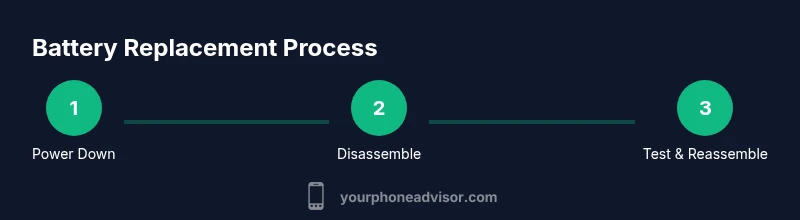
- 1
Power down and prepare workspace
Shut down the device completely, remove the SIM tray, and place the phone on a non-conductive surface. Detach any accessories and ensure you have good lighting and ventilation. This minimizes the risk of electrical shock and makes it easier to see tiny connectors.
Tip: Double-check the device is off and unplug any charging cables before starting. - 2
Open the back cover or chassis
Use plastic opening tools to carefully remove the back cover or access panel. Keep track of screws and note their positions. If adhesives are present, apply light heat to soften them without overheating the battery.
Tip: Label screws or store them in a segmented tray to avoid mix-ups. - 3
Disconnect the battery connector
Locate the battery connector on the motherboard and gently lift it with a plastic tool. Ensure the device is still powered off and the area is free of metal tools to avoid short circuits.
Tip: Do not force connectors; if they resist, re-check alignment or consult a model-specific guide. - 4
Remove old battery
Loosen any adhesive securing the battery, using a minimal amount of heat if needed. Lift the battery carefully, avoiding puncture. Place the used battery in a non-conductive container for safe transport.
Tip: Work slowly and avoid bending or twisting the cell as it can leak or rupture. - 5
Install the new battery
Position the new battery in the bay and reconnect the battery connector to the motherboard. Recheck alignment and seating of all components before resealing.
Tip: Verify that the battery cable is routed away from any sharp edges or hot areas. - 6
Reassemble the device
Replace the back cover or mid-frame, reinstall screws in their original pattern, and ensure seals or gaskets sit correctly for water resistance where applicable.
Tip: Do not overtighten screws; snug is usually sufficient. - 7
Power on and test basic functions
Power the device, verify boot, and test basic features (touch, camera, speakers, and microphone). Check that the device begins charging normally and monitor for excessive heat during initial cycles.
Tip: If the device won’t boot, recheck connectors and ensure no debris remains in connectors. - 8
Calibration and early usage
Allow the device to reach 100% charge, then use normally for a few cycles. If available, use built-in battery health diagnostics to confirm expected capacity and cycle count.
Tip: Complete a couple of full charge-discharge cycles to help stabilize the gauge. - 9
Disposal of the old battery
Place the old battery in a non-conductive container for transport to a recycling facility. Do not discard with regular waste, and follow local regulations for hazardous materials.
Tip: If you observe swelling, stop using the device and consult a professional for safe disposal.
Got Questions?
Is it safe to replace a phone battery yourself?
Yes, with proper precautions, the right tools, and a clear understanding of the device’s construction. Follow model-specific guides and avoid damaging the battery.
Yes, with the right tools and careful steps you can safely replace a phone battery. Follow a model-specific guide and never force components.
Will replacing the battery void my warranty?
It depends on the device and warranty terms. Some manufacturers consider third-party repairs as void, while others offer explicit protection or official service options.
Warranty impact varies by device; check terms or contact the manufacturer before starting.
What should I do if the battery swells after replacement?
Do not puncture or press the swollen cell. Power down immediately, avoid further use, and take the device to a professional or recycling facility for safe disposal.
If you notice swelling, stop using the device and seek professional help right away.
Can all phones have user-serviceable batteries?
No. Many modern phones use glued or sealed batteries. Check your model’s design before attempting a replacement yourself.
Not all phones are user-serviceable; some require professional service.
Is DIY cheaper than professional service?
DIY can save labor costs, but risk and time may offset savings. Professionals often provide warranty and tested results, so compare total cost and risk.
DIY saves money but can risk device damage; weigh cost against warranty and reliability.
Watch Video
What to Remember
- Verify battery compatibility before purchase
- Use the right tools to avoid damage
- Test and calibrate after installation
- Dispose of old batteries responsibly
- Consider warranty implications before DIY