Phone Number by Name: Safe, Efficient Lookup in 2026
A practical guide to finding a phone number by name with emphasis on on-device lookups, privacy practices, and verification steps for trustworthy results in 2026.


A phone number by name is a lookup process that maps a contact’s name to the most current telephone number, using your device's address book or trusted directories. On-device lookups prioritize privacy and speed, while cloud-based services may offer broader results at the cost of data sharing. Always review permissions and verify results before dialing.
What does phone number by name mean?
At its core, the phrase describes the process of converting a person's name into a reachable phone number. This can happen when you search your own contacts, or when you look up someone in a directory or a trusted app. The goal is accurate, up‑to‑date contact information you can dial or message. In most cases, name‑to‑number mapping relies on consented data sources and the permissions granted to the app or device. For everyday users, the simplest path is to start with your on‑device contacts, which minimizes data sharing and keeps your personal network private. When you must go beyond stored contacts, consider trusted directories and enterprise directories you explicitly opt into. Always respect privacy rules and terms of service when performing lookups for other people.
How name-based lookup works on modern smartphones
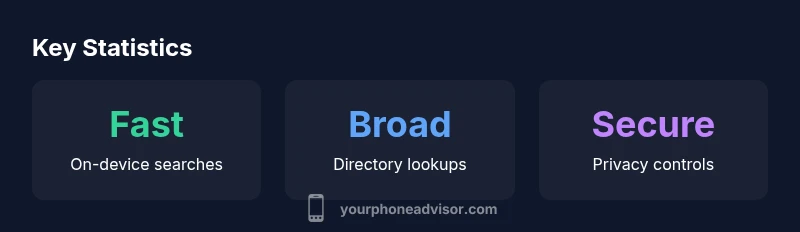
Smartphones use a combination of on‑device indexes, cloud directories, and, occasionally, third‑party apps to map a name to a phone number. On‑device lookup leverages an index of your saved contacts and is extremely fast because it avoids network requests. Cloud‑based lookups reach beyond your local storage, often returning additional numbers from your company’s directory or public listings. The trade-off is privacy and data use — cloud sources may require permissions and may store or process data. Modern systems also apply duplicate resolution logic, so if multiple numbers exist for the same name, you’ll get a prioritized list or a best‑match result. To reduce errors, always verify the contact card before dialing and keep your contact notes up to date.
Privacy, consent, and security considerations
Any time you perform a name‑based lookup, you are involved in data exchange about your contacts and, potentially, other people. On‑device lookups minimize data exposure, but they rely on your own stored contacts. Cloud lookups can improve coverage but may involve syncing, server‑side processing, and third‑party privacy policies you should review. Permissions matter: granting access to your contacts should be deliberate, and you should disable access by default for apps you don’t trust. If you are concerned about privacy, prefer apps that offer granular controls (view only, no export) and robust end‑to‑end encryption, where available. Regularly review app permissions and audit which services can access your contacts.
Methods for finding numbers by name: on-device, directory services, and third-party apps
- On-device contact search: Fast, private, limits results to saved contacts.
- Directory services: Corporate or public directories can provide numbers not saved locally but may require authorization.
- Third-party lookup apps: Some tools aggregate numbers from multiple sources but may pose privacy risks; choose reputable apps and review privacy policies.
- Mixed‑method workflows: For example, start with local search, then verify a found number via a separate source to avoid misdialing.
Practical steps: how to perform a safe lookup
- Check your current contact list first. 2) If needed, use a trusted directory you’ve opted into. 3) Review permissions granted to the app performing the lookup, and disable access if not essential. 4) Verify the number by cross-referencing with another source (work contact, official website, or a shared contact). 5) After dialing, update your own contact if the number changes. 6) Consider enabling alert features for number changes to stay in sync with your network.
Potential limitations and errors to avoid
- Duplicate names: If names collide, you may pick the wrong number; rely on additional identifiers (company, location) to disambiguate.
- Outdated entries: Numbers change; use verification steps and occasional cleanups of your contacts.
- Privacy drift: Cloud lookups can gradually expand data exposure; minimize reliance on them and review privacy settings regularly.
Best practices for staying private while staying connected
- Limit data sharing: Use on-device searches whenever possible.
- Review app permissions: Remove access for apps you don’t actively use.
- Use strong authentication to protect devices so that lookup results remain private at rest.
- Periodically audit your contact list to remove stale numbers and duplicates.
- For sensitive contacts, consider encrypted messaging rather than exposing phone numbers through search.
When to verify numbers and consider alternatives
Even when a lookup returns a number, verification is essential. Cross-check with a colleague, a known business card, or an official source before calling. If you suspect a misdial, try to reach the person through another medium (email, chat, or in‑app messaging) to confirm the correct number. When privacy concerns are high, you can opt for messaging instead of voice calls to confirm details before sharing numbers publicly.
A glossary of related terms you should know
- Name-based lookup: The process of finding a contact’s number from their name.
- On-device lookup: Searching without network access.
- Directory service: A centralized database that stores contact numbers for an organization or public listings.
- Privacy policy: A document describing how a service handles your data.
Comparison of lookup methods for finding a phone number by name
| Method | Privacy Risk | Latency | Reliability |
|---|---|---|---|
| Local on-device lookup | Low | Very fast | High |
| Cloud/directories | Moderate | Variable | Medium |
Got Questions?
What is the safest way to look up a phone number by name?
The safest method is to perform on‑device lookups using your own contacts. If you need outside data, choose a trusted directory with transparent privacy controls and verify any found number with a separate source before dialing.
Use on‑device search first, and verify with a trusted source before calling.
Can I rely on cloud directories for accurate numbers?
Cloud directories can provide more results, but numbers may be outdated or inaccurate. Always cross‑check with another source, and prefer sources with a clear privacy policy.
Cloud data can help, but verify and cross-check before dialing.
How do permissions affect name-based lookups?
Permissions determine what data apps can access. Grant only necessary access to your contacts, and disable permissions for apps you don’t rely on. Regularly audit permissions to reduce data exposure.
Be selective with permissions and review them often.
Are there privacy risks with third-party lookup apps?
Yes. Third‑party apps may aggregate data from multiple sources. Read privacy policies carefully, limit data sharing, and prefer reputable apps with explicit consent controls.
Be cautious with third‑party apps and check their policies.
What should I do if a number changes or a contact is duplicated?
If a number changes, update your contact promptly and verify in the next call. For duplicates, add distinguishing details (organization, department) to keep the correct entry.
Update numbers and add identifiers to avoid confusion.
“Privacy‑minded lookup decisions require minimizing data exposure while validating results.”
What to Remember
- Prefer on-device lookups to minimize data exposure.
- Cloud lookups widen results but require careful privacy checks.
- Keep contact data accurate with periodic cleanups.
- Always verify numbers from multiple sources before dialing.
- Manage app permissions to protect sensitive contacts.