How to Phonetically Spell My Name: A Practical Guide
Learn practical methods to spell your name phonetically using NATO, IPA, or simple spellings. This guide covers templates, examples, validation tips, and real-life usage for forms, calls, and digital profiles.


By the end, you’ll know how to phonetically spell your name using a preferred system (NATO or IPA), draft a clear pronunciation, and verify it with others. This quick guide also provides practical templates for forms, introductions, and calls, plus tips to maintain consistency across documents, accounts, and settings—so your name is understood every time.
What is phonetic spelling and why it matters
If you’ve ever been asked to spell your name on a form or introduce yourself over the phone, you know the value of clarity. Phonetic spelling is a way to represent how a name sounds using a chosen system—so others can pronounce it correctly even when spelling conventions differ by language. When someone asks you how to phonetically spell your name, you’re providing a map from sound to letters or symbols. According to Your Phone Advisor, a consistent phonetic presentation reduces confusion in customer service, medical intake, and official records, where mispronounced names can cause delays or errors. This guide equips you with practical methods to craft a version that is easy to read, repeat, and share in person or online.
Key phonetic systems: NATO, IPA, and user-friendly spellings
There isn’t a single universal way to spell sounds in every situation; most people pick a system based on readability, context, and audience. The NATO phonetic alphabet (also called the radiotelephony alphabet) translates each letter into a spoken word to avoid miscommunication in noisy environments. IPA, or the International Phonetic Alphabet, captures precise speech sounds using symbols, which is helpful for language learners and linguists. A third option is a plain-language spelling that uses the actual sounds in your name written out with familiar letters. When you ask how to phonetically spell my name, you’ll often see a mix: NATO for quick spoken spelling, IPA for technical accuracy, and a readable version for forms or emails. Your choice should balance clarity with practicality, and it may vary by context.
When to use each system
Different contexts call for different approaches. Use NATO when you’re speaking aloud in noisy environments or over the phone, because it minimizes mishearing. Use IPA when accuracy matters in language learning, linguistics, or cross-language communication where precise phonemes matter. Opt for a plain-language spelling in forms, emails, and digital profiles where readers need a quick, readable version without specialized symbols. If you’re unsure, start with a simple, memorable spelling and add a formal version for specific contexts. Your goal is to reduce confusion, not to overwhelm the reader.
Dealing with diacritics and non-English names
Names from languages with diacritics (such as é, ñ, ø, or å) can complicate phonetic spelling. A practical approach is to render the core sounds with diacritics removed for broader readability, while keeping a separate version that preserves the authentic diacritic when the system supports it. For instance, a name like Zoë might be written as Zoe for forms and as Zoë in contexts that honor the accent. When in doubt, provide both versions and explain the pronunciation in simple terms.
How to choose a phonetic spelling that matches your pronunciation
Start with your actual pronunciation as the baseline. Then compare potential spellings against common mispronunciations you’ve encountered. If you notice frequent errors with certain sounds, adjust the spelling to more closely reflect how you say them. In bilingual or multilingual environments, consider which sounds are most likely to be distorted by listeners who share your audience’s language background. The most effective phonetic spelling is easy to remember, easy to read, and reliably reproducible across contexts.
Examples: common names and their phonetic spellings
- Anna: NATO = AN-A, plain spelling = AN-NA, IPA = /ˈæ.nə/
- Miguel: NATO = MI-GUEL, plain spelling = Mee-gwel, IPA = /miˈɡel/
- Sophia: NATO = SO-FI-A, plain spelling = So-fee-ah, IPA = /soʊˈfiə/
- Zhang: NATO = ZH-ANG, plain spelling = Zhang, IPA = /ˈdʒæŋ/ (simplified for non-Chinese readers) These examples illustrate how you can alternate between quick spoken cues, readable spellings, and precise phonetic notation depending on the situation.
Tooling: apps, dictionaries, and crowd-sourced phonetics
Leverage a mix of resources to refine your phonetic spelling. Use a NATO alphabet chart for quick references, an IPA chart when precision matters, and reputable dictionaries to confirm common pronunciations. Language-learning apps can help you compare sounds, while asking native speakers for feedback ensures your spelling mirrors actual pronunciation. If you’re sharing your spelling with strangers, a short verbal cue plus the written version helps avoid confusion.
How to explain your phonetic spelling to others effectively
When you introduce yourself, offer both the spoken and written cues: “My name is [Name], pronounced /ˈfiː/ or spelled FEE-NAH.” For forms, provide a short line, such as “Pronounced as ‘FEE-NAH’.” Encourage feedback: “If that isn’t clear, tell me which sound is off.” Clear, concise explanations save time and reduce back-and-forth.
Common pitfalls and how to avoid them
- Overcomplicating with too many symbols. Keep to 1–2 systems and a simple spelling.
- Relying solely on diacritics that might not render everywhere.
- Forgetting to test with real readers who aren’t familiar with the system.
- Confusing pronunciation with spelling; focus on sounds, not arcane symbols.
- Failing to update across platforms when your pronunciation changes.
Real-world scenarios: forms, introductions, and digital profiles
In forms, paste a plain-language spelling and, if possible, an optional phonetic line. In introductions, provide a quick spoken cue followed by the written version. In digital profiles, add a phonetic field and a short pronunciation note. Consistency across channels helps ensure your name is pronounced correctly in different settings.
Testing and validating your phonetic spelling
Test your spelling with at least three people who speak different backgrounds. Read your name aloud for them, have them repeat, and note any mispronunciations. Record yourself saying the phonetic spelling and compare it to how others pronounce it. Use feedback to refine the spelling until most people pronounce it correctly on first attempt.
AUTHORITY SOURCES
- https://www.loc.gov (Library of Congress) – government resource on name pronunciation and transliteration
- https://www.nih.gov – general guidance on clear communication and naming in forms and records
- https://www.harvard.edu – guidelines on precise language usage and standardization of terms
Tools & Materials
- Notebook or digital notes(For drafting and comparing spellings)
- NATO phonetic alphabet chart(Quick reference for spoken spelling)
- IPA chart (optional)(Useful for precise phonemes across languages)
- Voice recorder or smartphone(Record pronunciation for self-check with others)
- Computer or smartphone with spell-check(Store and share your phonetic spelling across platforms)
Steps
Estimated time: 25-40 minutes
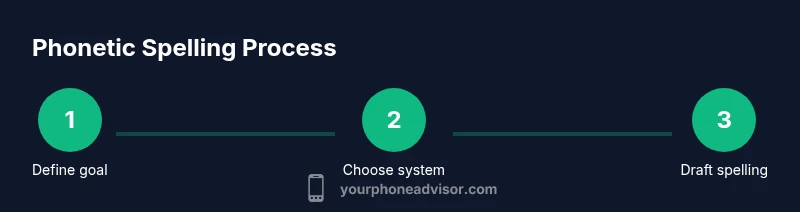
- 1
Define your goal and choose a system
Decide whether you want a simple, memorable plain-language spelling or a formal system (NATO or IPA) for precise pronunciation. Consider the contexts where you’ll share your name most often, such as forms, calls, or official documents.
Tip: Start with your most common pronunciation and add a formal version only for contexts that require it. - 2
Draft a plain-language phonetic version
Write the sounds of your name using familiar letters. Keep it to 2–3 syllables if possible and avoid complex diacritics that may not render well on all platforms.
Tip: Read the spelling aloud and have someone unfamiliar with your name try to pronounce it. - 3
Consult reference alphabets
If you need higher precision, consult the NATO alphabet for letters and IPA for phonemes. Cross-check each sound to ensure readers will reproduce the pronunciation accurately.
Tip: Cross-check with a native speaker if your name includes sounds uncommon in your audience’s language. - 4
Create a compact version for forms
Trim long phonetic segments into a concise version suitable for forms and signatures. Use hyphens or spaces to separate distinct sounds for readability.
Tip: Aim for 1–3 words at most in written form, while preserving the core sounds. - 5
Validate your pronunciation
Ask friends or colleagues to pronounce your name using the written version. Note any recurring mispronunciations.
Tip: If many mispronounce a sound, adjust the spelling to resemble the sound more closely. - 6
Document and store consistently
Save your phonetic spelling in your contact card, email signature, and any official documents. Ensure the same version appears across platforms.
Tip: Set a reminder to review and update if your pronunciation changes.
Got Questions?
What is the difference between NATO and IPA for spelling names?
NATO is designed for quick spoken spelling and is easy to understand in real time, while IPA captures exact speech sounds for linguistic precision. Use NATO for calls and forms that require quick transmission, and IPA when precision matters for learning or cross-language clarity.
NATO is for quick spoken spelling, IPA is for precise sounds.
Can I use phonetic spelling on digital forms?
Yes. You can provide a plain-language phonetic rendering in a text field and, where possible, a secondary line with a phonetic system like NATO or IPA. This improves readability and reduces mispronunciations.
Yes, you can add a plain phonetic spelling in forms and, if available, a phonetic line with NATO or IPA.
Should I include diacritics or tone marks?
Only if the system supports them and the field can display them properly. In most cases, use a diacritic-free version for wide compatibility and provide a separate line for the diacritic-preserving form when needed.
Only use diacritics if the platform supports them.
How can I verify that others pronounce my name correctly using the phonetic spelling?
Ask several people to read the phonetic spelling aloud and then pronounce your name themselves. Repeat until most listeners reproduce the pronunciation on the first try.
Have a few people read the spelling and pronounce your name to confirm accuracy.
What if my name changes over time or across contexts?
Update your phonetic spelling to reflect the current pronunciation, but keep previous versions for records that might still use older spellings. Communicate the change to contacts and institutions when possible.
Update it when your name changes, and let others know.
Is there a risk of mispronunciation with phonetic spellings?
Phonetic spellings reduce mispronunciation, especially when paired with a quick verbal cue. Regular practice and feedback help keep pronunciation accurate across contexts.
Phonetic spellings help, especially when you practice and confirm with others.
Watch Video
What to Remember
- Choose a practical system first (NATO, IPA, or plain spelling).
- Use 1–3 simple phonetic cues on most forms.
- Validate with diverse readers and update when needed.
- Store your spelling consistently across all channels.