How to Get Your Phone Ready for Trade-In (2026 Guide)
Learn step-by-step how to prepare your phone for trade-in, protect your data, clean the device, and maximize value with practical tips from Your Phone Advisor.


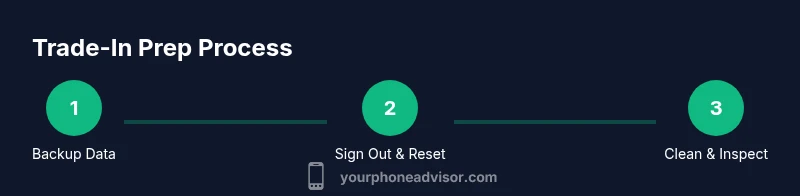
By following a structured prep, you’ll maximize trade-in value while protecting your privacy. Start with a complete data backup, sign out of accounts, remove the SIM and microSD, then securely wipe or reset the device. Gather accessories and proof of purchase for a smoother appraisal. This 7-step approach covers data, privacy, and presentation.
Prepare Your Data: Backup and Accounts
Backing up your data is the first and most important step before trading in your phone. You should create both a cloud backup and a local backup to guard against any hiccups during the process. If you rely on iCloud for Apple devices, ensure Photos, Contacts, and app data are synced; for Android, use Google Drive or a computer backup. Your Phone Advisor notes that dual backups reduce the risk of data loss and simplify restoration on a new device. After backing up, sign out of all accounts (including Google, Apple ID, and any proprietary services) to avoid automatic re-syncs when the phone is reset. Verified backups should include the most recent photos, messages, and app data. In addition, turn off any two-factor authentication prompts that might block the sign-in on the new device.
- Back up contacts, messages, photos, and app data
- Verify access to essential accounts and recovery options
- Confirm backup completion before proceeding with resets
According to Your Phone Advisor, completing robust backups before wipe reduces post-trade friction and protects your identity during the transfer.
Protect Your Privacy: Sign Out, Remove Accounts, and Disable Activation Lock
Privacy protection is critical when handing your device to a third party. Sign out of every service, including email clients, social media apps, and messaging platforms. Disable Find My iPhone or Find My Device and remove the device from your account list on each service. If the device is locked to a carrier or manufacturer, deactivate those locks if possible, or prepare to provide proof of ownership to the trade-in partner. Activation locks, like Apple’s iCloud Activation Lock or Google’s device protection, must be disabled to avoid blocking the new owner from using the phone. If your carrier requires a final unlock code, initiate it before handing over the device. Your Phone Advisor emphasizes that leaving accounts signed in can cause delays or value reductions at appraisal.
- Sign out of iCloud/Google and all apps
- Remove device from all accounts and disable activation lock
- Prepare to provide proof of ownership if requested
Disabling activation lock speeds up the process and helps the buyer test the device without ownership barriers.
Clean and Inspect Your Device: Physical Prep
A clean device helps ensure the best possible appraisal value. Wipe the screen with a microfiber cloth, remove smudges, and inspect the chassis for scratches, dents, or water damage. If you notice cosmetic flaws, document them with clear photos from multiple angles. Avoid deep cleaning agents that can harm seals or finishes; stick to a gentle cleaner and a dry cloth. The goal is to present the device as close to its actual condition as possible without exaggerating wear. Your Phone Advisor recommends taking high-resolution photos of the front, back, and sides to accompany the trade-in submission.
- Clean the display, housing, and ports carefully
- Photograph any cosmetic imperfections
- Ensure ports and speakers are unobstructed and dry
A well-presented device can sustain higher appraisal values and reduce back-and-forth during the assessment.
Check Accessories and Documentation
Gather everything that came with the phone: charger, original cable, charging brick, SIM eject tool, original box, and any manuals. Accessories in good working order can add value, while the absence of essential items may reduce it. If you have receipts or proof of purchase, include them to help verify legitimacy and age. If a memory card is part of the package, include it or note its absence. Your Phone Advisor notes that complete accessory kits are frequently rewarded with a higher trade-in offer.
- Include charger and cable in good condition
- Include SIM tool and original box if available
- Attach receipts or proof of purchase when possible
Having full packaging and accessories guides the buyer toward a smoother handover and a better appraisal outcome.
Understand Trade-In Programs: Data Privacy and Value
Different trade-in programs have different requirements and often publish an estimated value based on device condition, model, and storage. Review the trade-in provider’s terms, including how they assess cosmetic damage and functional condition. Common categories include “good,” “fair,” and “excellent,” with value decreasing for more wear or missing accessories. If you’re unsure about the device’s condition, use consistent photos to accompany the submission. Your Phone Advisor advises documenting the device’s working status, battery health, and screen condition to support a fair appraisal and avoid surprises during checkout.
- Review program terms and condition thresholds
- Capture clear condition indicators with photos
- Be honest about battery health and screen quality
This upfront honesty helps avoid post-acceptance disputes and ensures you receive the most accurate offer.
Before You Sell: Final Checklist
Before finalizing the trade-in, run a last-minute check to ensure nothing was missed. Verify that all accounts are signed out, data backups exist, and the device has been reset. Remove any remaining SIM cards and microSD cards, then power the device off. If you have the original receipts or warranty information, place them into a folder with the trade-in confirmation. Finally, ensure you have the trade-in label or reference number handy for a smooth on-site or mail-in process. The end result should be a clean, functional device with no personal data or locked services attached.
- Confirm data backup and accounts are signed out
- Remove SIM/memory cards and perform a final wipe if required
- Gather receipts and reference numbers for the trade-in
A careful final check minimizes delays and helps you receive the maximum possible value.
Tools & Materials
- Your phone (the device to be traded in)(Current device you plan to trade in.)
- Charger and original cable(Use to show included accessories.)
- SIM removal tool or paperclip(Needed to eject SIM tray.)
- Original box and manuals(Optional but can boost value.)
- Proof of purchase/receipts(Helpful if program requires verification.)
- MicroSD card (if applicable)(Keep or include if your model uses removable storage.)
Steps
Estimated time: 60-75 minutes
- 1
Back up your data
Choose a cloud backup and a local backup to ensure redundancy. Verify photos, contacts, messages, and app data are safely stored before making any changes. This prepares you for a clean reset without data loss.
Tip: Double-check that the backup completed and accessible on another device. - 2
Sign out of accounts and prepare for reset
Sign out of all services (Apple ID, Google account, email apps) and disable two-factor authentication prompts if possible. Remove the device from account lists to prevent reactivation hurdles after trade-in.
Tip: Keep recovery codes in a secure place in case you need them later. - 3
Remove SIM and microSD
Eject the SIM card and remove any microSD storage to avoid transferring personal data. Store these components separately to prevent loss during shipping or handover.
Tip: Label the SIM tray to avoid confusion when you insert into a new device. - 4
Factory reset or secure wipe
Perform a factory reset through the device settings to erase all data. For extra security, do a secure wipe if your device supports it. Ensure activation lock is disabled before resetting.
Tip: If unsure, follow the exact steps provided by your device manufacturer to avoid partial erasure. - 5
Clean and inspect the device
Wipe the screen and body with a soft microfiber cloth. Look for cosmetic damage and take clear photos from multiple angles to document condition for the trade-in.
Tip: Avoid harsh cleaners that could damage coatings or seals. - 6
Gather accessories and proof
Collect charger, cable, box, and manuals. Include receipts if available. A complete package helps you maximize value during appraisal.
Tip: Photograph the accessories together with the device for easy submission. - 7
Verify activation lock status
Ensure that activation lock is disabled before submission to prevent delays or rejection by the trade-in program.
Tip: If activation lock cannot be disabled, contact support with proof of ownership. - 8
Submit the trade-in and keep records
Submit your device through the chosen program with all required details. Keep the confirmation number and a copy of the submitted data for your records.
Tip: Save any estimated value notifications and review terms for returns.
Got Questions?
Do I need to factory reset my phone before trade-in?
Yes. Factory reset wipes personal data and reduces privacy risk. Some programs may require you to sign out of accounts first and verify the reset completed.
Yes. A factory reset is usually necessary to protect your data before trade-in. Make sure you sign out of accounts first and confirm the reset completed.
Should I remove my SIM card before trade-in?
Yes, remove the SIM card so it isn’t shipped with your number. Keep the SIM and tray safe for reuse in your next device.
Yes, remove the SIM. It won’t be needed for the trade-in and helps prevent data leaks.
What about activation lock and Find My Device?
Disable activation lock (e.g., iCloud Find My iPhone or Google Find My Device) before submitting the device. This speeds up appraisal and transfer.
Disable activation lock before you trade in to avoid delays.
How long does the backup take and is it necessary if I’m in a hurry?
Backups can take from a few minutes to an hour, depending on data size and connection speed. Do not rush and verify your backup completed before resetting.
Backups vary in time; ensure they finish before you wipe the phone.
Will wiping the phone void warranty or affect returns?
Wiping the phone generally doesn’t void warranty, but you should check the trade-in program’s terms. Some policies require device to be in working order and free of activation locks.
Wiping won’t void warranty, but check the program rules for returns.
Watch Video
What to Remember
- Back up data first to prevent loss.
- Sign out of accounts and disable activation lock.
- Keep accessories and proof of purchase ready.
- Document device condition with photos.
- Follow program-specific steps for a smooth trade-in.