How to clean your phone: a practical, safe guide
A practical, safety-focused guide to cleaning your smartphone’s screen, ports, and case with expert tips from Your Phone Advisor.


Goal: Learn how to clean your phone safely to maintain hygiene and device longevity. This guide covers safe methods, preferred cleaners, and step-by-step instructions for screens, ports, and cases. You will learn to avoid moisture damage, protect water seals, and keep electronics free from grime. Start with a quick check-list and follow the step-by-step process for best results.
Why cleaning your phone matters
Your phone carries germs and oils from daily use, and the screen collects fingerprints, dust, and moisture residue. Regular cleaning helps keep the display crisp, reduces the transfer of grime to your hands, and can prevent long-term buildup that affects touch sensitivity. According to Your Phone Advisor, establishing a simple cleaning routine not only improves hygiene but also extends the life of coatings and hardware. By maintaining a clean device, you reduce the risk of corrosion on metal edges and protect ports from grit that can interfere with charging or speakers. This section explains why a thoughtful approach to cleaning matters for both health and device longevity, and how to do it safely.
Safe cleaning basics
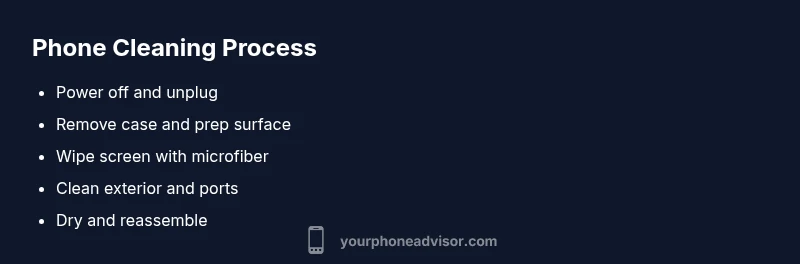
Power off your phone and unplug any accessories before you start. Remove the case or cover to access all surfaces. Use a soft microfiber cloth lightly dampened with a mild cleaner or just distilled water; never spray liquids directly onto the device. Press and wipe gently in long, even strokes across the screen, back, and sides. For stubborn smudges, use a cotton swab moistened with a tiny amount of cleaner and work slowly around the edges. Let the device air-dry completely before reassembling and powering on. Following these precautions helps prevent moisture getting into ports and keeps coatings intact.
Choosing cleaning products wisely
Choose cleaners that are alcohol-based or specially formulated for electronics, and avoid bleach, ammonia, or abrasive chemicals that can damage coatings. Use products on a small inconspicuous area first to check for adverse effects. A microfiber cloth or soft tissue is ideal for applying cleaners; never use rough cloths or paper towels that can scratch the screen. If you prefer ready-made wipes, select ones labeled safe for electronics and non-abrasive. Always follow manufacturer recommendations for your phone model and accessories, and never spray liquids directly onto the phone.
Cleaning the screen and display
The screen should be the focus of your cleaning. Wipe with a clean microfiber cloth dampened slightly with an electronics-safe cleaner or isopropyl-alcohol-based wipe. Use circular motions and avoid applying liquids to the edges or corners where moisture can seep under the glass. For stubborn fingerprints, hold the cloth at a shallow angle and gently lift deposits without pressing hard. Finish with a dry pass to remove any remaining moisture and restore a smooth touch experience.
Cleaning the exterior and case
Wipe the plastic, metal, or glass exterior with a microfiber cloth. If your case is washable, remove it and wash according to the manufacturer’s instructions, then dry thoroughly before reassembling. Pay attention to corners and seams where grime can hide. Do not use sharp tools or solvents that could erode coatings; never immerse the phone in water. Regular exterior cleaning helps preserve aesthetics and avoids grit that can scratch protective screens.
Cleaning ports, speakers, and crevices
Ports, speaker grilles, and microphone openings are sensitive areas. Use a dry or lightly dampened cotton swab to remove dust, never drip liquid into ports. Gently rotate the swab tip to dislodge particles rather than scrubbing. If you see debris that remains after gentle cleaning, let the device dry and consult service instructions. Frequent cleaning of crevices reduces charging problems and improves call quality.
Cleaning accessories and workspace hygiene
Don’t forget to clean charging cables and earbuds separately; wipe them down with a microfiber cloth and mild cleaner if needed. Keep your cleaning supplies away from your daily workspace to avoid cross-contamination with other devices. When reassembling, ensure all protective films or screen covers are properly aligned and undamaged. A tidy workspace supports consistent hygiene habits and protects your phone from incidental damage.
Do’s and don'ts and a quick maintenance routine
Do: establish a weekly 5- to 10-minute cleaning habit; Do not: spray liquids directly onto the phone or into ports; Do: use non-abrasive products; Do: test cleaners on a small area first. For ongoing hygiene, incorporate a monthly deeper clean and a daily quick wipe, especially after handling food or dirty environments. By keeping up with a routine, you’ll enjoy a clearer screen, better touch response, and a longer device lifespan, says Your Phone Advisor.
Tools & Materials
- Microfiber cleaning cloth(Soft, lint-free cloth designed for electronics)
- Isopropyl alcohol 70% or electronics-safe cleaning wipes(Apply to cloth, never directly on device)
- Soft cotton swabs(For crevices around ports and speakers)
- Distilled water (optional)(For a milder wipe)
- Electronics-safe spray (optional)(Prefer wipes; avoid harsh solvents)
- Manufacturer’s user manual (optional)(Model-specific cautions)
Steps
Estimated time: 10-15 minutes
- 1
Power off and disconnect
Power down the device and unplug any cables or accessories to minimize the risk of short circuits and accidental damage.
Tip: This creates a safe baseline and reduces moisture risk. - 2
Remove case and SIM tray (if safe)
If you can do so safely, remove the case and any removable components like the SIM tray to access all surfaces.
Tip: Only remove components you are confident won’t void warranties. - 3
Prepare workspace
Clear a clean, flat surface and lay out cleaning materials in reach. Avoid humid or dusty areas which could contaminate the device.
Tip: Have a dry microfiber cloth ready for final polishing. - 4
Clean the screen
Gently wipe the display with a microfiber cloth dampened lightly with electronics-safe cleaner or a small amount of isopropyl-based wipe, using circular motions.
Tip: Do not saturate the screen; moisture at the edges can seep under layers. - 5
Clean exterior and case
Wipe the outside surfaces and, if washable, the case, paying attention to corners and seams; ensure everything is dry before reattachment.
Tip: Avoid abrasive cloths and solvents that could damage finishes. - 6
Clean ports and crevices
Use a dry or lightly dampened cotton swab to remove dust from ports and speaker grilles; never drip liquid into openings.
Tip: Work slowly and avoid forcing debris deeper. - 7
Dry, reassemble and test
Allow the device to air-dry completely, reassemble, then power on and verify touch response and audio are normal.
Tip: If any moisture remains, give it extra dry time.
Got Questions?
Can I use household cleaners on my phone?
Only if they are electronics-safe and non-abrasive; avoid bleach and ammonia that can damage coatings or seals.
Use electronics-safe cleaners and avoid harsh household chemicals.
Is it safe to use alcohol on the screen?
Yes, small amounts on a microfiber cloth are generally safe for screens, but never spray directly onto the device.
A small amount on a cloth is usually safe; never spray directly.
Should I remove the SIM card before cleaning?
If practical, remove the SIM tray to access the area around the tray; otherwise avoid forcing it and proceed carefully.
It can help to remove the SIM tray if you’re comfortable, but don’t force anything.
How often should I clean my phone?
Regular routine is best: weekly light cleaning and monthly deeper clean, adjusted for how dirty the environment is.
Aim for a regular weekly wipe and a deeper monthly clean as needed.
Can cleaning damage waterproof seals?
Improper cleaning can degrade seals or coatings; follow manufacturer guidance and avoid excessive moisture.
Use gentle techniques and follow guidance to protect seals.
What if my phone has a special coating?
Check the manufacturer’s care instructions; use non-abrasive cleaners and avoid harsh solvents.
If there’s a special coating, follow official care tips to avoid damage.
Watch Video
What to Remember
- Power off before cleaning and disconnect accessories.
- Use a microfiber cloth dampened lightly; never spray.
- Avoid liquids near ports; wipe edges gently.
- Dry thoroughly before reassembly.
- Follow model-specific guidelines for coatings.