Getting a New Phone: A Practical How-To Guide
A practical, step-by-step guide to choosing, buying, transferring data, and securing your new smartphone—covering budgets, plans, and setup.


In this guide you will learn how to successfully get a new phone—from defining needs and budgeting to comparing models, selecting a plan, transferring data, and securing your device after purchase. You’ll need a clear budget, a feature wishlist, and access to your current accounts to port data and verify purchases.
Define your needs and goals when getting a new phone
When you set out to get a new phone, start with a clear list of what matters most: core features (camera, battery life, screen size, processing power), preferred operating system, and your ecosystem (iOS vs Android). Use a needs matrix to distinguish between must-haves and nice-to-haves. For many people, the decision hinges on three questions: Will you stay within your current carrier or switch? Do you want the latest flagship or a solid mid-range model? How important is long-term software support? Throughout this planning phase, remind yourself that a new phone is not just the device but the gateway to your daily digital life—so think about durability, repairability, and data security as you evaluate options. According to Your Phone Advisor, framing your needs early reduces regret after you start shopping. Also consider your current apps, backups, and any accessories you rely on, because compatibility with cases, chargers, and headphones can save you time and money later. The goal is a realistic shortlist that keeps you focused during price comparisons and promotions. If you’re getting a new phone soon, write down your top five must-haves and one deal-breaker to keep you anchored.
Budgeting for a new phone and total cost of ownership
A practical budget for getting a new phone should include the upfront device price, applicable taxes, extended warranty or protection plans, and estimated monthly costs for service and accessories over at least two years. Build a simple forecast: device price range, taxes, trade-in value if any, monthly plan, and a contingency for screen protection or case. Don’t forget ongoing costs like cloud storage, app subscriptions, and potential accessories. Even a modest device can incur substantial long-term costs if plan charges are high or if you upgrade every year without considering trade-in values. Your plan should balance upfront cost with long-term ownership costs, including potential price increases and data overages. This planning helps you avoid buyer’s remorse after getting a new phone. The Your Phone Advisor team recommends using a conservative estimate for monthly costs and a realistic trade-in value to keep you financially aligned with your goals.
Unlocked vs carrier-locked: which path to take
When getting a new phone, you’ll need to decide whether to buy unlocked or through a carrier. Unlocked phones offer flexibility, allowing you to switch networks without penalties and usually faster software updates, but they can be pricier upfront. Carrier-locked devices may come with financing deals, promotions, or installment plans but can tie you to one network for an extended period and may limit the device’s resale value. If you travel or move frequently, unlocked devices simplify SIM changes and roaming. If you primarily stay with one carrier, a carrier-locked option can be cost-effective, provided you understand the terms, warranty, and any restrictions on resale. Consider your data habit, coverage reliability in your area, and whether the retailer provides legitimate subsidies or financing. The decision should reflect your long-term needs, not just the current price tag.
Feature-by-feature comparison: OS, hardware, and ecosystem
Take a deep dive into the hardware and software that power your daily usage. Compare processors, RAM, storage options, and display tech, but also examine software support timelines, security updates, and app availability. Focus on longevity: how many major OS updates does the device receive, and for how many years will you have access to critical security patches? For photographers and creators, camera performance and RAW capabilities can be deciding factors; for gamers, GPU performance and cooling matter. Don’t neglect ecosystem effects: if you rely on a smartwatch, tablet, or smart speaker, ensure compatibility with your chosen OS and service. This phase is where you translate your needs into a ranked feature list, then map those features to the models that best align with your long-term use cases.
Plans and total cost of ownership: monthly charges and discounts
Carrier plans can dramatically affect the overall cost of getting a new phone. Compare total cost of ownership (TCO) rather than just the upfront price. Consider data allowances, throttling, hotspot allowances, international roaming, taxes, device financing terms, and trade-in credits. Look for promotions, loyalty discounts, or student deals, but verify the fine print—early termination fees, price escalator clauses, or hidden service charges can undermine a seemingly good deal. If you’re unsure about commitment, pre-paid or SIM-only plans paired with an unlocked device can offer flexibility and transparency. Make a checklist to compare at least three plan options side-by-side, ensuring you’re accounting for all incremental costs over 24–36 months.
Preparation for data transfer and verifying your backups
Before you buy or switch, ensure your data is ready for a smooth transfer. Back up contacts, photos, messages, and app data from your current phone to a trusted cloud service or computer. Make sure two-factor authentication methods, email accounts, and app logins have recovery options up to date. If you’re moving from iOS to Android or vice versa, learn the cross-platform transfer steps and any potential feature gaps. This phase reduces the risk of data loss and ensures you can restore quickly after activation. Write down your essential apps, login methods, and any device-specific keys you’ll need, so you can re-create your setup with minimal friction.
Where to buy, verify warranties, and avoid scams
You have options for getting a new phone—from brand stores and official carriers to reputable retailers and certified refurbished sellers. Always verify the seller’s warranty terms, return policy, and support options. Check model availability in your region and confirm that the device is compatible with your network bands. Beware of deals that sound too good to be true, especially if they require unusual payment methods or lack a valid serial number. When possible, purchase from authorized retailers and request a formal receipt with the device IMEI/serial number. If you’re trading in a device, restore it to factory settings and remove semua personal data before handing it over, using manufacturer-provided reset methods to protect your privacy.
Secure setup and post-purchase privacy protections
After receiving your new phone, run through a secure setup routine. Enable biometric unlocks, strong passcodes, and screen-time or parental controls if relevant. Install trusted security apps only from official app stores, and review app permissions to limit data access. Turn on automatic software updates and back up data regularly to a cloud storage option you trust. Review privacy controls in the OS, such as ad tracking, location permissions, and advertising identifiers. Finally, set up device protection features like Find My Phone, remote wipe capabilities, and a recovery backup of important information. This final setup keeps you protected as you begin using your new phone every day.
Tools & Materials
- Budget planning worksheet(Include device price, taxes, trade-in value, and 24-month plan estimates)
- Access to current carrier/account(Needed for porting numbers and verifying any trades or promotions)
- Payment method (card, financing options, or carrier credit)(Have a method ready for upfront costs or monthly installments)
- SIM-ejector tool or eSIM plan setup(Essential if you plan to swap SIM cards; many modern phones use eSIM)
- Backups of contacts, photos, and apps(Cloud backups or computer copies ensure a smooth transfer)
Steps
Estimated time: 2-6 hours
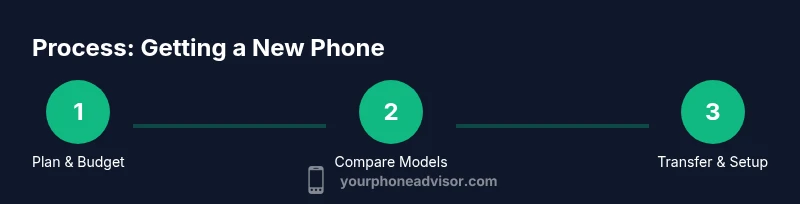
- 1
Define needs and budget
List must-have features, preferred OS, and target price range. Include total cost of ownership, not just the upfront price, to avoid surprises later.
Tip: Create a two-column matrix: 'Must-have' vs 'Nice-to-have' to quickly filter options. - 2
Research models and compare specs
Search for models that fit your feature list and budget. Compare processors, RAM, storage, camera capabilities, display quality, and update longevity.
Tip: Use side-by-side comparison tools and verify updated software support timelines. - 3
Decide unlocked vs carrier-locked
Choose based on flexibility, planned network use, and total cost. Unlocked devices usually offer more resale value and easier switching.
Tip: If you travel or want flexibility, leaning unlocked is often worth the upfront cost. - 4
Evaluate plans and total monthly costs
Compare data, voice, hotspot allowances, taxes, and potential upgrade promos. Include potential trade-in credits in your total cost.
Tip: Compute three 24-month scenarios per plan to see true long-term cost. - 5
Plan data transfer and backups
Back up your current phone, verify recoverability of important accounts, and learn cross-platform transfer steps if switching OS.
Tip: Test a small data transfer first to confirm restoration integrity. - 6
Choose where to buy and check warranties
Select an authorized retailer or official carrier store. Confirm warranty terms, return windows, and service options before buying.
Tip: Save screenshots of the receipt and serial numbers for future support. - 7
Purchase and activate your new phone
Complete the purchase, activate the device, and verify that the SIM/eSIM is functioning. Set up accounts and restore backups.
Tip: Activate in a secure location with a strong Wi-Fi connection to download apps safely. - 8
Secure setup and ongoing privacy
Enable device security features, review app permissions, and set up Find My Phone and remote wipe. Schedule regular backups.
Tip: Only install apps from official stores and turn on automatic OS updates.
Got Questions?
What should I do first when getting a new phone?
Start by listing must-have features, budget constraints, and data transfer needs. Decide between unlocked or carrier-locked options and verify your backup readiness before purchase.
Begin with a features and budget list, decide unlocked vs carrier-locked, and confirm backups before buying.
Is it better to buy unlocked or through a carrier?
Unlocked devices offer flexibility and often better resale value, while carrier deals can lower upfront costs. Weigh your travel plans and long-term network preferences.
Unlocked gives flexibility; carrier deals can save upfront costs. Consider your long-term needs.
How can I protect my data when transferring to a new phone?
Back up your data to a trusted cloud service or computer, enable two-factor authentication, and test the transfer with a small subset of data first.
Back up data, enable 2FA, and test a small transfer before going all-in.
What should I check in a warranty before buying?
Read the terms carefully, note the duration of coverage, what is included, and whether accidental damage or screen protection is covered.
Understand the duration, inclusions, and any exclusions in the warranty.
Do I need to switch carriers to port my number?
Porting your number usually requires your current account details and SIM/eSIM setup. Check both carriers’ transfer timelines to avoid service gaps.
Porting needs account details and correct SIM/eSIM setup; plan for possible short service gaps.
Can I buy a used or refurbished phone safely?
Yes, from reputable refurbishers with warranties. Inspect the device, verify battery health, and ensure it’s not carrier-locked to avoid activation issues.
Buy from trusted refurbishers with warranty and check device health before purchase.
Watch Video
What to Remember
- Define needs and budget before shopping
- Choose unlocked for flexibility unless a strong carrier deal exists
- Compare total costs, not just device price
- Back up data and plan a secure setup
- Verify warranties and buy from trusted retailers