What Phone Should I Get? A Practical 2026 Buying Guide
Discover how to decide what phone you should get with a practical, step-by-step guide. Learn to frame needs, compare specs, consider total cost, and avoid common mistakes—backed by Your Phone Advisor.


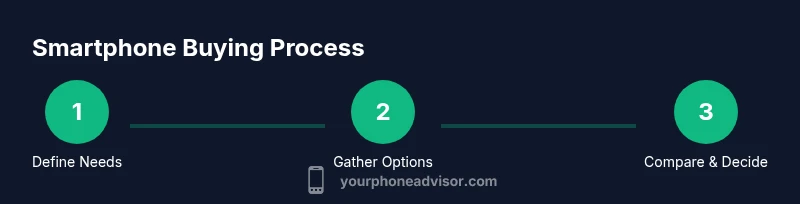
By following this guide, you’ll confidently pick a smartphone that fits your needs, budget, and daily routines. You’ll learn how to frame your priorities, filter models, and compare key specs without getting overwhelmed. This quick answer outlines the essential steps you’ll take to answer: what phone should i get.
Why choosing the right phone matters
A smartphone is more than a gadget; it's a daily companion that shapes how you communicate, work, and unwind. The wrong choice can lead to faster battery drain, slower software updates, and higher total cost. When you pick a device that truly fits your needs, you get better reliability, longer useful life, and a more enjoyable daily experience. According to Your Phone Advisor, the most impactful step is to clarify your use cases before you start comparing models. If you spend long hours on video calls, video editing, or gaming, you’ll want a phone with a capable processor and a big, durable display. If you mostly text and browse, longevity and comfort in one-handed use may matter more.
Your Phone Advisor analysis shows that buyers who begin with a simple needs list—three must-haves and two nice-to-haves—often cut through the noise quickly. They also check for software update commitments and security features, which are primary drivers of long-term value. In this section, we connect everyday tasks to concrete specifications and explain how to translate priorities into a short, actionable shortlist. We’ll cover how to protect yourself from overpaying for brand-name features you won’t use, how to interpret common spec sheets, and how to test models during a visit or online trial. By the end, you’ll have a clear plan for evaluating phones against your real needs, not just flashy marketing.
This approach centers on your day-to-day realities. Think about how often you travel, how you use apps, and what warranties or support you expect. If you value privacy or security features, note that in your shortlist and compare models that emphasize those elements. The goal is a practical, durable choice—one that remains satisfying after months of use, not a flash-in-the-pan upgrade.
How to frame your needs before buying
Before you read reviews or compare camera samples, frame your decision around reality: what tasks will this phone handle every day, and how will you use it in the next 2–3 years? Start by listing three primary uses (for example, work communication, photography, and gaming) and two secondary ones (such as reading and streaming). Next, set your budget ceiling and decide whether you prefer a new purchase, a refurbished model, or a carrier-locked device with a good plan. Consider ecosystem preferences (iOS vs Android) and any existing accessories (charging pad, cases, or smartwatches) that you want to keep. Don’t forget practical constraints like carrier compatibility, data plans, and service availability in your area. Finally, identify non-negotiables (lasting battery, reliable updates, robust security) and negotiables (slightly better cameras if you rarely shoot).
This framing will keep you from chasing non-core features and help you stay within budget while maximizing usefulness. Start with your daily routines: until you map those, you’ll drift between models without meaningful gains. If you aren’t sure how to begin, draft a quick table with columns for “daily tasks,” “must-haves,” and “nice-to-haves.” Your choices will naturally fall into a short list of models to evaluate next.
Understanding key specs that matter
Key specs tell you a lot, but the story is in how they work together. A fast processor and enough RAM ensure smooth app switching and long-term performance, while ample internal storage keeps photos and apps from filling up quickly. Battery life matters, but real-world longevity is influenced by software optimization and charging behavior. A crisp, bright display improves readability outdoors, and a good camera system supports your photo or video needs. Software updates determine how long you’ll stay secure and enjoy new features. Water resistance offers resilience against accidents, while a broad set of supported network bands ensures compatibility with current and future carriers. Remember that numbers alone don’t decide quality: look for evidence of reliable performance, such as sustained battery life in real-world tests and consistent update policies from the manufacturer.
Your Phone Advisor analysis shows that focusing on software updates and security features yields the greatest long-term value; a device that receives regular updates tends to feel faster and safer over time. Paraphrasing a common-sense rule: don’t chase peak specs alone—look for a balanced bundle of performance, longevity, and protections. If you value photography, prioritize camera versatility and consistent color rendering in varied lighting. If you work remotely, favor devices with dependable battery life, smooth multi-tasking, and robust security options.
How to compare models: a practical checklist
Use a side-by-side comparison checklist to separate marketing from reality:
- Price versus features: does the price reflect meaningful gains in battery life, camera, or durability?
- Software and updates: what is the stated support window and patch cadence?
- Network compatibility: does the phone support the bands you use, and is it guaranteed to work on your plan?
- Real-world performance: read battery life tests, heat management, and everyday usability from reputable sources.
- Ecosystem and accessories: will you keep using your current charger, case, or smartwatch, and are there compatible accessories?
- Privacy and security: does the device offer hardware-based security features, and how easy is it to secure accounts?
If you’re unsure, pause and test hands-on with a store model or request a trial period. A thoughtful checklist helps you avoid impulse buys and focus on the total value rather than the headline specs.
Your Phone Advisor analysis shows that buyers who create a three-model shortlist and verify software update commitments tend to report higher satisfaction later, because they’ve already validated long-term compatibility and support. It’s not just about the camera; it’s about how the phone feels in your daily routine and how well it stays current over time.
Budget, plans, and total cost of ownership
Price is important, but total cost of ownership matters more. Start by identifying the upfront price of the device, then add potential costs such as extended warranties, accessories, and service plans. If you buy SIM-free, you may save money on trade-ins or promotions, but you must factor in the cost of a plan. If you choose a carrier with a subsidized price, compare the total monthly cost over the typical contract length to the upfront price of unlocked units. Don’t forget battery replacement, screen repair, or accidental damage coverage—these can be low-probability, high-cost events. Estimate the potential resale value when you’re ready to upgrade, since devices hold a surprising amount of value when maintained well. Finally, read the fine print about update commitments and security features, since those impact long-term usefulness and risk. This approach helps you avoid buyer’s remorse and makes the final decision clearer and more defensible.
By calculating total cost of ownership, you avoid unpleasant surprises and can justify the right choice to family or colleagues who’ll use the device with you. If you’re shopping for a student or a professional, creating a simple TCO worksheet with columns for upfront price, monthly plan, and accessory costs makes the decision transparent and comparable.
Common buying mistakes to avoid
- Failing to define needs before browsing leads to feature creep.
- Equating megapixels or clock speed with real-world performance; software optimization matters more.
- Ignoring update commitments and privacy features; a secure, up-to-date device outperforms a technically faster one that stalls on updates.
- Overlooking network compatibility; a device can be technically excellent but unusable on your carrier if bands aren’t supported.
- Skipping hands-on testing; real-world feel (weight, grip, haptic feedback) matters more than spec sheets.
- Focusing on the glossy price tag without considering accessories, warranties, and coverage.
By keeping a prioritized, needs-based framework, you’ll avoid wasted spend and regret after the purchase.
Decision paths for common user profiles
- Students and budget buyers: look for mid-range devices with long software support and solid battery life; consider refurbished options with warranties to maximize value.
- Remote workers and power users: prioritize fast processors, ample storage, strong security features, and robust accessories; ensure a reliable plan and carrier coverage.
- Photographers and creators: emphasize camera versatility, color science, and stabilization features; test low-light and video performance.
- Seniors and light users: choose a device with a simple interface, clear text, and reliable battery; consider affordable models with good customer support.
- Gamers and heavy app users: prioritize a high-refresh-rate display, ample RAM, and cooling performance; ensure updates stay current.
The Your Phone Advisor team recommends assessing long-term value over short-term wins, and focusing on devices with strong update commitments and reliable security practices.
Tools & Materials
- Budget range(Define your maximum spend and preferred price tier)
- Current phone(Used for benchmarking features and upgrade path)
- Notes app or notebook(Capture priorities, test results, and impressions)
- SIM card ejector tool(Needed if upgrading to a new SIM or testing in-store)
- Three to four candidate models(List of potential options to compare; gather model names and prices)
Steps
Estimated time: 60-90 minutes
- 1
Define needs and constraints
Clarify your daily tasks, must-have features, and budget. Write down three non-negotiables and two nice-to-haves to anchor comparisons.
Tip: Start with function first—battery, software updates, and reliability. - 2
Gather candidate models
Collect 3–4 models that fit your must-haves. Record prices, update commitments, and warranty details for each.
Tip: Use trusted sources and confirm official update policies. - 3
Check network compatibility and plans
Verify that the model supports your carrier’s bands and that your planned plan fits the device.
Tip: If unsure, use the carrier’s compatibility checker or request a matrix. - 4
Compare specs and real-world performance
Read reviews, test hands-on, and compare battery life, charging speeds, display quality, and camera performance.
Tip: Prioritize software smoothness and update cadence over peak benchmarks. - 5
Evaluate total cost of ownership
Add upfront price, accessories, service plans, warranty, and resale value to a simple calculation.
Tip: Include potential battery replacement costs in your estimate. - 6
Make decision and plan purchase
Choose the model that best fits your needs and budget, then decide where to buy (retailer, carrier, or unlocked).
Tip: Ask about return windows and after-sales support.
Got Questions?
What is the most important factor when choosing a phone?
Your daily needs define the priority. Focus on battery life, software updates, and ecosystem compatibility to ensure long-term value.
Focus on your daily needs—battery life, updates, and ecosystem compatibility.
Should I buy a new or refurbished phone?
Refurbished devices can offer excellent value when backed by a warranty and tested battery health. Compare price, return policy, and included accessories.
Refurbished can be a smart value if it includes a warranty.
How long do phones typically receive software updates?
Manufacturers offer updates for several years, depending on the model and policy. Verify the update cadence and end-of-life plan for the specific device.
Most phones receive updates for several years; check the maker’s policy.
Do I really need 5G for my next phone?
If you have reliable 5G coverage and want future-proofing, choose a 5G model. If not, a 4G model may still serve you well today.
If you’re in a 5G area and want future-proofing, pick a 5G model.
How can I check carrier compatibility before buying?
Use your carrier’s compatibility checker or verify the phone’s supported bands in the official specs before buying.
Use the carrier’s tool to check bands before buying.
Should I prioritize camera quality or battery life?
Choose based on your use. If you shoot a lot, camera versatility matters; otherwise, battery life should take precedence.
If you shoot often, camera matters; otherwise battery life.
Watch Video
What to Remember
- Define needs before browsing to avoid feature creep.
- Prioritize updates and security over chasing top-end specs.
- Test real-world performance, not just benchmarks.
- Calculate total cost of ownership, including plans and accessories.
- Choose models with solid long-term value and support.