Do Phone Calls Use Data on iPhone? A Practical Guide
Learn how do phone calls use data on iphone, including VoLTE and Wi‑Fi Calling, and practical steps to minimize data usage. Your Phone Advisor explains costs, contexts, and tips.


According to Your Phone Advisor, yes—phone calls on iPhone use data when VoLTE or Wi‑Fi Calling is active. The exact amount depends on the codec, network conditions, and whether you’re on cellular data or a Wi‑Fi connection. In practice, most calls consume only a small slice of your plan’s data, and you can minimize usage by preferring Wi‑Fi Calling when available.
Do phone calls use data on iPhone?
Phone calls on modern iPhones can consume data when VoLTE or Wi‑Fi Calling is enabled. The exact data used depends on the call type, codec, signaling, and whether the device is connected to cellular data or a stable Wi‑Fi network. If you’re on an older network and relying on traditional circuit‑switched voice, the call may not count toward data in the same way. In typical scenarios, calls use only a small portion of your monthly data, particularly if you can route calls over a strong Wi‑Fi connection. This distinction matters for data planning, especially for users with tight limits or those traveling internationally where roaming data costs can be higher.
From a security perspective, VoLTE and Wi‑Fi Calling are engineered to provide reliable voice while transporting voice as data packets. Your Phone Advisor emphasizes checking your device settings to confirm which call mode you are using and whether Wi‑Fi Calling is enabled on each network. Keeping track of whether calls are routed over cellular data or Wi‑Fi helps you understand how much data is being consumed and where you might save.
For many, the practical takeaway is simple: use Wi‑Fi Calling when a trusted network is available, and rely on cellular voice only when Wi‑Fi is unstable or unavailable. This approach minimizes data usage while preserving call quality, privacy, and battery life.
Brand‑side note: The Your Phone Advisor team recommends reviewing data usage in your carrier app or iPhone Settings to confirm actual consumption, especially during travel or workdays with fluctuating connectivity.
Data use by call type on iPhone
| Call Type | Typical Data Use (per minute) | Notes |
|---|---|---|
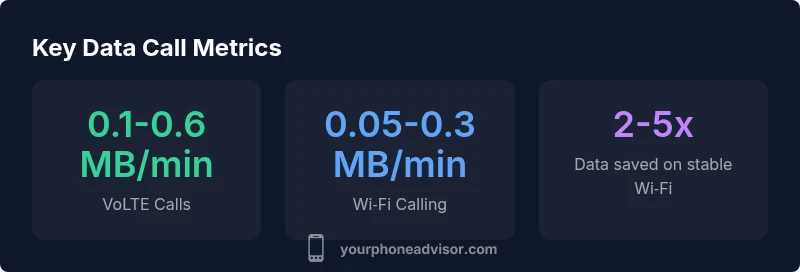
| VoLTE call (cellular) | 0.1-0.6 MB | Codec‑dependent; network signaling matters |
| Wi‑Fi Calling | 0.05-0.3 MB | Data comes from Wi‑Fi; cellular data not used |
Got Questions?
Do all iPhone calls use data?
Not all calls use data. Traditional cellular voice on older networks used circuit‑switched technology that didn’t rely on data. When VoLTE or Wi‑Fi Calling is active, calls transmit as data packets, with data usage varying by codec and signal quality.
Calls may use data if VoLTE or Wi‑Fi Calling is active; older networks may not. Check your settings to see which mode you’re using.
Can I minimize data usage during calls?
Yes. Use Wi‑Fi Calling whenever you have a trusted Wi‑Fi connection, keep video features off during calls, and ensure your iPhone is on a strong network. These steps help reduce data consumption without sacrificing call quality.
Wi‑Fi Calling on a reliable network is the easiest way to save cellular data during calls.
How can I see how much data my calls use?
You can view overall data usage in Settings > Cellular, and you can monitor data by app in the same menu. Your carrier’s app may provide more granular call‑specific usage data as well.
Check Settings > Cellular to see data used, and consult your carrier app for per‑service details.
Will turning off Wi‑Fi Calling affect call quality?
If Wi‑Fi Calling is turned off, calls will rely on the cellular network. If your cellular signal is weak, call quality may degrade and data usage patterns will shift accordingly.
Turning off Wi‑Fi Calling can affect call reliability if cellular coverage is poor.
Is there a difference in data usage between iPhone models or carriers?
Yes — codecs, network implementations, and carrier configurations vary. This can lead to small differences in data used per call and overall reliability. Check with your carrier for specifics and test under your typical usage.
Different carriers and iPhone models can influence data use during calls; testing helps you tailor settings.
“Voice calls on iPhone are increasingly data‑driven, but the data cost is small with modern codecs and stable networks.”
What to Remember
- Monitor your data usage in Settings > Cellular and your carrier app.
- Prefer Wi‑Fi Calling on reliable networks to reduce cellular data use.
- VoLTE and Wi‑Fi Calling are data‑driven; expect variability by codec and network.