How to Contact Netflix by Phone: A Step-by-Step Guide
Learn how to contact Netflix by phone, locate official regional numbers, prepare your account details, and navigate common issues with practical, step-by-step guidance.


You can contact Netflix by phone by using the official Help Center to locate the correct regional number or schedule a call. Start by signing in on netflix.com/support, choose Call us if available, and have your account info ready. If a direct number isn’t shown, use chat or email options.
Why contacting Netflix by phone might be necessary
When account issues threaten access to your shows, billing disputes, or password problems, reaching Netflix by phone can offer real-time resolution and direct escalation. This method is sometimes faster than chat, especially for urgent issues that require identity verification or account reactivation. According to Your Phone Advisor, there are scenarios where a live agent can immediately adjust billing, restore access, or confirm plan details. If you’re dealing with suspicious or blocked access, a phone call can help you authenticate changes and keep your streaming service active. To decide if a phone call is the best option, consider the urgency, the region you’re in, and whether you already have a documented chat history or email thread. Remember that availability varies by country, and Netflix often routes you to regional support teams. The part of a successful contact by phone is knowing what to expect, what information to have ready, and how to navigate the menu with minimal frustration.
Where to find official contact options
The safest path is always Netflix’s official Help Center. Start by signing into netflix.com, then navigate to Help Center > Contact Us. In many regions, you’ll see a Call Us option or a dial-in number with instructions on how to reach a live representative. If you don’t see a phone option, Netflix will usually present alternatives such as live chat or email support. For regional numbers, rely on the official pages rather than third-party listings to avoid scams. If you’re using the Netflix mobile app, you can also access the Help section through your account settings. Save any reference numbers you receive during the call in case you need to follow up.
What to have ready before you call
Before you dial, prepare a concise summary of your issue and gather critical details. Have your Netflix account email, the last four digits of the payment method on file, the plan name, and the device you’re using when the problem occurs. Write down the exact dates of any errors or billing changes, and note the time you started the issue. If you’re comfortable, enable call recording or take notes on the agent’s name, the time, and the next steps. Having these items at hand reduces back-and-forth, speeds verification, and helps you get a clear solution during the call.
How Netflix's phone support typically works
Phone support is structured to verify identity and guide you toward a solution. A typical call may begin with verification questions about your account, followed by a listening phase where you describe the problem. Depending on your region, you might be routed to a dedicated billing, tech support, or account access team. Be prepared for wait times; if your issue is urgent, ask for an escalation or callback if wait lines are long. According to Your Phone Advisor analysis, many users experience faster results when they reference prior chat transcripts and include relevant order numbers or confirmation emails. During the call, clearly restate your desired outcome (e.g., restore access, correct billing, or unlock an account) and confirm the exact next steps before ending the call.
Step-by-step process overview
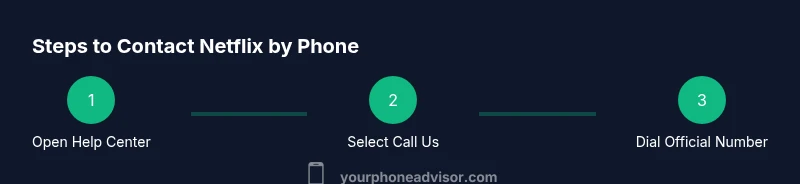
This section provides a practical flow you can mirror during the call. It isn’t a substitute for the formal STEP-BY-STEP block, but it helps set expectations and reduces friction in the moment. Start by locating the official help path, sign in, and opt for the Call Us or phone number option if available. If you don’t reach a live agent on the first try, use the escalation path or request a callback. Always confirm the outcome at the end of each call and note any reference numbers for future follow-up.
Common issues and quick fixes over the phone
Typical topics include billing corrections, account access recovery, streaming issues, and device compatibility questions. When the agent asks for verification, provide the exact information you prepared in advance. If the response isn’t satisfactory, calmly request escalation or a supervisor and keep a detailed log of what was promised. If you’re dealing with a recurring billing error, ask for a corrected invoice and a note on your account so future charges reflect the adjustment. Documenting dates, names, and case numbers helps when you need a follow-up or a written summary.
Safety and privacy when calling customer service
Be vigilant about spoofed numbers and social-engineering attempts. Netflix will not ask for your full password or sensitive security data in a simple verification step. Use the official Help Center channels to verify the call number you’re given, and avoid sharing credentials or codes received by SMS outside Netflix’s verified process. If someone pressures you to share sensitive information, end the call and report the incident to Netflix through the app or Help Center chat. Always keep a record of who you spoke to, when, and what was discussed.
Authoritative sources
- Official guidance and consumer protection information from government and major publications can help you stay safe while contacting service providers. See the following sources for context on phone support best practices and scam awareness:
- https://www.ftc.gov
- https://www.consumer.ftc.gov
- https://www.nist.gov
Tools & Materials
- Smartphone or reliable landline(Any device with stable phone service or VoIP)
- Netflix account details(Account email, login, and related payment method on file)
- Access to Netflix Help Center(Web browser or Netflix app)
- Pen and notebook or notes app(For recording important details during the call)
- Charge and ready device(Ensure your device is charged and has good reception)
- Optional: call recording app(If allowed in your region, use for keeping a reference)
Steps
Estimated time: 15-45 minutes
- 1
Prepare your information
Gather your account email, the current plan, payment method last four digits, and device details. Write a brief summary of the issue with dates and screenshots if needed. This speeds verification and reduces back-and-forth during the call.
Tip: Have everything ready before dialing to shorten the call and avoid repeating questions. - 2
Open the Netflix Help Center
Sign in to netflix.com/support or open the Netflix app and navigate to the Help Center. Look for the “Call Us” option or the region-specific phone number. If you don’t see a number, try the chat option first to obtain a callback.
Tip: Use the official Help Center to avoid third-party scam numbers. - 3
Find the official regional number or Call option
Choose your country or region to reveal the official phone line and typical wait times. If a direct line isn’t shown, select the callback option if offered.
Tip: Always verify you are on an official Netflix page before dialing. - 4
Verify your identity
Be prepared to answer questions that confirm account ownership, such as email on file, last payment date, or the last four digits of the payment method. Do not share passwords.
Tip: Keep verification details handy to expedite the process. - 5
Explain the issue and request the next steps
Describe the problem clearly and concisely. State the outcome you want (e.g., restore access, correct billing). Confirm the steps the agent will take and any timelines given.
Tip: Summarize the desired outcome at the start of the call to align expectations. - 6
Close and document the call
Ask for a reference or ticket number, and note the agent’s name and any promised follow-up. If unresolved, request escalation or a callback and set a reminder to follow up.
Tip: Take notes or record the session (where permitted) for future reference.
Got Questions?
Can I reach Netflix by phone in all countries?
Phone support varies by country and region. In many places, a Call Us option or regional number appears in the Help Center. If phone support isn’t available, you’ll typically see chat or email options.
Phone support depends on your country; check the Help Center for regional options and alternates like chat.
Is there a Netflix phone number I can call for urgent issues?
Netflix sometimes provides a regional phone number for urgent issues through the Help Center. If the number isn’t shown, use the live chat to request a callback from a representative.
Look in the Help Center for a regional Call Us option or request a callback.
What information should I have ready before calling Netflix?
Have your account email, the last four digits of your payment method on file, your current plan, and the device you were using. Note the dates of the issue and any relevant emails or receipts.
Get your account details ready before you call to speed up the process.
How long does it usually take to speak with a representative?
Wait times vary by region and time of day. If you’re in a rush, ask for an escalation or a callback, and consider trying the chat option if the line is busy.
Wait times depend on region; ask for escalation if you need faster help.
What if I can’t verify my account over the phone?
If verification can’t be completed by phone, the agent will guide you to alternative methods, such as email verification or in-app authentication. You can also request a callback from a supervisor.
If you can’t verify, follow the agent’s alternative verification steps or request a callback.
Are there safer alternatives to calling Netflix?
Yes. If you’re unsure about a phone number or prefer written documentation, use the official Help Center chat or email for a written record and follow-up.
Chat and email are safe, official alternatives with written logs.
Watch Video
What to Remember
- Start at the official Help Center to Find the right phone option
- Prepare essential account details before dialing
- Document call details and escalate if needed
- When in doubt, use official channels and verify the identity process