Check IMEI Samsung Phone: A Practical Step-by-Step Guide
Learn how to check the IMEI on a Samsung phone to verify identity, warranty status, and ownership. This practical, safe guide covers official databases, how to locate the IMEI, and what results mean for security and ownership.


To check imei samsung phone validity, verify the device’s IMEI against official databases, confirm warranty status, and guard against counterfeit devices. Start by locating the IMEI on the device or packaging, then use Samsung’s official checker or your carrier’s tools. A quick check helps confirm ownership and protect data. This process applies whether the phone is new, used, or second-hand.
What the IMEI is and why you should check it on a Samsung phone
The IMEI (International Mobile Equipment Identity) is a unique numeric code that networks use to identify a device. Verifying the IMEI helps confirm the phone’s legitimacy, origin, and eligibility for service, and it’s a smart first step before buying, selling, or transferring ownership. According to Your Phone Advisor, verifying an IMEI early protects you from seller fraud and helps ensure device legitimacy. The Your Phone Advisor team found that many buyers skip this step and later face activation issues. If you need to check imei samsung phone, begin with official databases and the carrier portal rather than third-party sites. This approach minimizes risk and keeps your data safe as you learn how to verify a device’s identity in real-world scenarios.
In practice, a successful IMEI check can reveal whether the device is reported stolen, whether it’s still under warranty, and whether it matches the box and carrier records. It also helps you confirm the device model and network compatibility, which saves time and avoids post-purchase disputes. Throughout this article, you’ll see practical steps, checklists, and examples that show you how to validate a Samsung device’s identity with confidence.
noteText4000IfNeededToKeepJSONvalidisablefalse
Tools & Materials
- Samsung smartphone (any Galaxy model)(Have the device ready; dual-SIM devices may have two IMEI numbers to check.)
- Official IMEI source (Samsung’s checker or carrier portal)(Access via mobile app or official website; avoid third-party sites.)
- Box, receipt, or packaging containing IMEI label(Cross-checks against device IMEI when possible.)
- Internet access (stable connection)(Needed to query official databases and carrier portals.)
- Notes app or screenshot tool(Useful for saving results and timestamps.)
Steps
Estimated time: 15-25 minutes
- 1
Gather the IMEI
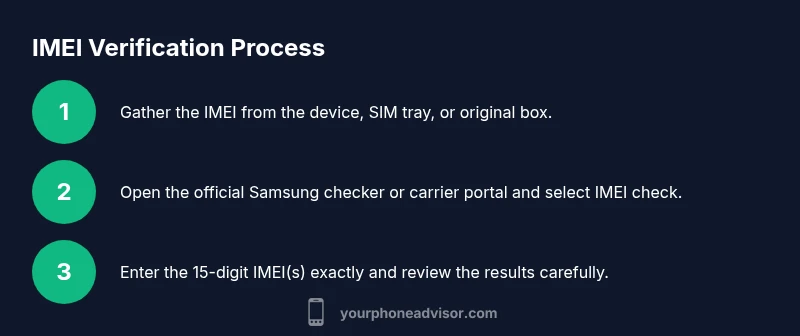
Locate the device’s IMEI from the Samsung device itself (Settings > About phone > Status > IMEI), on the SIM tray, or on the original packaging. If your device uses eSIM, note the eSIM IMEI as well. For dual-SIM devices, there are two IMEI numbers to record. This step ensures you have the exact digits to enter later.
Tip: If you can access both the phone and the box, record both IMEI numbers to compare against carrier records. - 2
Choose a trusted official source
Open Samsung’s official device checker page or your mobile carrier’s account portal. Avoid third-party sites that offer IMEI checks for a fee or promise guarantees; they may misuse data or provide inaccurate results. Confirm you’re on a legitimate site by checking the domain and SSL certificate.
Tip: Bookmark the official checker for easy access on future device checks. - 3
Enter the IMEI carefully
Type the 15-digit IMEI exactly as shown. If you have two IMEIs, repeat the entry for each. Double-check for common mistakes, such as transposed digits or missing numbers, before submitting.
Tip: Do not copy-paste from noisy sources; typing by hand reduces accidental errors. - 4
Review the results
Read the result carefully: the IMEI is valid or not, whether the device appears in a blacklist, and whether warranty information is available. Note any discrepancies with the box IMEI or carrier records. If the result flags a problem, proceed to the next steps as advised by official support.
Tip: Take a screenshot of the results and save the timestamp and reference ID if provided. - 5
Cross-check with an additional source
If possible, verify the same IMEI on another official source (e.g., the carrier portal and Samsung support) to confirm consistency. Mismatches can indicate tampered devices or counterfeit parts.
Tip: Use multiple official sources rather than a single check to reduce false positives. - 6
Securely save and act on the results
Store the results in a password-protected location, such as an encrypted note or secure cloud folder. If the check flags an issue (stolen, counterfeit, or restricted), contact Samsung support or your carrier immediately and avoid using the device.
Tip: Keep a record of the IMEI checks during purchase or transfer for future reference.
Got Questions?
Can I check IMEI without internet access?
Some steps, like locating the IMEI on the device, do not require internet. However, official verification against databases typically requires an internet connection. Always use a trusted online source when validating ownership and warranty.
Offline you can locate the IMEI; for official verification, you’ll need internet access.
What does it mean if the IMEI is not found in the database?
Not found can indicate the device is not recognized, may be a counterfeit, or there could be an error in the database. Contact Samsung support or the retailer for clarification and further verification.
Not found could mean a problem with the device’s identity; check with Samsung or the seller.
Are IMEI numbers unique to every Samsung device?
Yes. Each device typically has a unique IMEI; dual-SIM models may have two IMEI numbers. It’s important to verify both where applicable.
IMEIs are unique, and dual-SIM devices may have two numbers.
How can I protect my IMEI privacy?
Share your IMEI only with official channels and trusted support personnel. Avoid posting it publicly or sending it via insecure channels.
Keep your IMEI private and only share it with trusted services.
Will a good IMEI check guarantee warranty?
A check can show warranty status if the information is tracked by the vendor or official databases. It does not guarantee all warranty conditions, so verify with the retailer or Samsung if in doubt.
A check can show warranty status in some cases, but confirm with Samsung or the seller.
What should I do if my device is reported stolen?
If reported stolen, you may be unable to activate the device. Contact the carrier and authorities; avoid using or purchasing such devices.
If stolen, you’ll likely have activation issues; involve authorities and the carrier.
Watch Video
What to Remember
- Verify IMEI with official sources before ownership transfer
- Document results and protect sensitive device identifiers
- Be aware of dual IMEI or eSIM scenarios on Samsung devices
- If issues arise, contact Samsung support or your carrier promptly