What Size Phone Case Fits iPhone 15: A Practical Guide
Learn how to choose the right case for iPhone 15. Read packaging cues, verify model compatibility, and test fit with practical steps for secure protection.


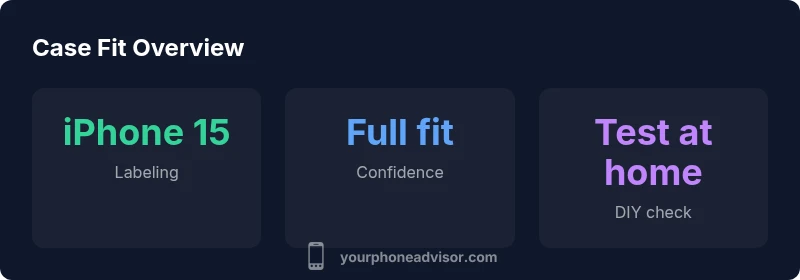
Most cases labeled for iPhone 15 fit reliably. If a case is advertised specifically for iPhone 15 or iPhone 15 models, you can trust the fit. Some older cases labeled for iPhone 14 may still fit due to similar dimensions, but always verify the model designation on the packaging and confirm any camera module cutouts for your exact model. Test the fit before regular use.
Understanding case labeling and model naming
When shopping for an iPhone 15 case, the labeling on packaging matters as much as the size. Most reputable brands publish model-specific compatibility on the box or product page. Look for phrases like “for iPhone 15” or “iPhone 15 models” rather than generic 6.1-inch notes. Be wary of older-gen labels that omit the model name or mention “for iPhone 14” without explicit confirmation. Brand-verified listings reduce the risk of buying a case that doesn’t fit the camera module or side buttons. If you’re uncertain, cross-check the listing with the manufacturer’s official site and customer reviews that reference iPhone 15 specifically. Your Phone Advisor team emphasizes using explicit model labeling as the first confidence check, especially when you’re upgrading from an earlier model.
Size vs model compatibility: iPhone 15 vs earlier generations
In most cases, the iPhone 15 shares a similar footprint with its immediate predecessors, which means many 6.1-inch cases can fit with varying success. The key differences often lie in camera module configuration and button placements. A case labeled for iPhone 14 may still physically fit the body but could interfere with camera cutouts or side buttons if the camera module is rearranged or slightly larger on the iPhone 15. For practical purposes, prioritize cases explicitly sold for iPhone 15, and when considering older models, read customer photos and manufacturer specs to confirm fit. Our analysis shows that explicit iPhone 15 labeling correlates most strongly with reliable fit across popular brands.
How to verify fit before buying: a practical checklist
To avoid post-purchase regret, use this fit-check before finalizing a case:
- Confirm model labeling on the product page and packaging. If the box says “for iPhone 15” you’re in the right track.
- Compare dimension notes and camera cutouts. A case with a slightly larger camera opening is generally acceptable if it doesn’t obstruct the lens.
- Read retailer fit guides and customer photos for iPhone 15 test fits.
- Check return policies. A generous window makes it easier to verify fit at home.
Your Phone Advisor recommends selecting cases with explicit iPhone 15 compatibility and to leverage return policies when testing at home.
Common mislabeling scenarios and how to spot them
Mislabeling happens when a case is marketed for a “6.1-inch” phone without naming the exact model. Because dimensions can be similar across generations, retailers might list a generic fit for several models. To spot mislabeling, compare the camera arrangement and side button placements shown in product photos to your iPhone 15. If there’s any mismatch in camera cutouts or button alignments, it’s a warning sign. Always favor models with explicit iPhone 15 compatibility and check the retailer’s Q&A for model-specific notes.
Material choices and design considerations for everyday use
The material and design of a case affect fit and usability just as much as the official size. TPU and silicone cases tend to offer a snug yet forgiving fit, while rigid polycarbonate shells provide robust protection but may require precise tolerances. Consider your routine: a grip-friendly silicone may reduce drops during one-handed use, while a clear case helps show off the iPhone 15’s design. Watch for camera bump protection; cases with raised lips guard lenses without obstructing the flash. If you frequently dock or wirelessly charge, verify that the case allows for smooth charging and does not interfere with ports.
At-home fit-testing and return policies
After purchase, perform a simple at-home fit test: slip the phone in and out, verify all buttons depress properly, and ensure the camera lens sits within the cutout. If anything binds or the fit feels tight around the corners, try a different brand or size variant. Keep the original packaging and receipt to support a return if the fit isn’t right. A flexible return policy reduces the risk associated with buying a case that may not be the perfect match for your iPhone 15.
Quick-reference fit checklist for iPhone 15 cases
- Look for explicit iPhone 15 labeling on packaging
- Confirm camera cutouts align with your device
- Check button placement and edge access
- Read customer photos for model-specific fit notes
- Verify return window before purchase
Case labeling vs. actual fit guidance
| Labeling | Fit Guarantee | Notes |
|---|---|---|
| iPhone 15 | Full compatibility | Official iPhone 15 cases fit confidently |
| iPhone 14 | Conditional compatibility | May fit depending on tolerance; not ideal for all users |
| Generic 6.1-inch | Unreliable | Size varies by brand; verify model designation |
Got Questions?
Will a case labeled for iPhone 14 fit the iPhone 15?
Most iPhone 14 cases can fit the iPhone 15 if the dimensions and camera cutouts align closely. However, this is not guaranteed, and you should confirm with the manufacturer or retailer. If in doubt, choose an iPhone 15-specific case to ensure proper alignment.
Most iPhone 14 cases might fit the iPhone 15, but verify with the maker or retailer to be sure.
Can I use a generic 6.1-inch case for iPhone 15?
Generic 6.1-inch cases may fit in some cases, but fit quality can vary by brand. Look for explicit iPhone 15 compatibility on the product page and read user photos to confirm.
You can try a generic 6.1-inch case, but make sure it says iPhone 15 compatibility.
What about differences in camera modules between iPhone 15 and Pro models?
Differences in camera modules can affect fit. A case designed for iPhone 15 (non-Pro) may not accommodate Pro camera layouts. Always verify model-specific cutouts before purchasing.
Camera differences matter—check that the case matches your exact iPhone 15 model.
Do cases vary by material in fit?
Material affects how snugly a case fits. Silicone and TPU cases typically offer tolerances that accommodate minor dimensional differences, while rigid shells may require precise sizing.
Material matters for fit; softer materials can tolerate small size differences.
How can I test fit without removing the case’s packaging?
Many retailers offer virtual fit guides or allow returns if the case doesn’t fit. If you already have the case, perform a gentle dry-fit by placing the phone in and out and checking all access points.
Use retailer fit guides and returns, and perform a light dry-fit when possible.
Are there official sizes I should prefer?
Yes—prefer cases explicitly labeled for iPhone 15 from reputable brands. While some third-party cases may fit, explicit labeling reduces the guesswork and improves compatibility.
Prefer cases with explicit iPhone 15 labeling from trusted brands.
“Model-specific labeling is your first defense against a poor fit. Always verify with the manufacturer’s compatibility notes and trusted retailer guides.”
What to Remember
- Check packaging for iPhone 15 compatibility first
- Avoid older-gen labels unless dimensions are confirmed
- Verify camera and button cutouts align with your model
- Prefer brands with explicit iPhone 15 labeling
- Test the case fit before regular use