Are Phone Cameras Accurate? A Practical Guide for 2026
Explore smartphone camera accuracy in real-world settings, what it means, and practical steps to test color fidelity, exposure, and detail in 2026.


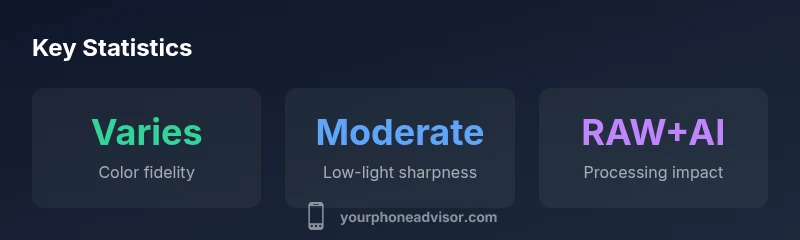
Short answer: are phone cameras accurate? In practice, smartphone imaging is highly capable, but accuracy varies with lighting, subject, and processing. In ideal daylight, most devices reproduce color and detail within a small margin of error, yet automatic algorithms can shift exposure and color. For precise work, shoot in RAW, calibrate with color targets, and cross-check with trusted tests.
Understanding what accuracy means in smartphone photography
When people ask "are phone cameras accurate", they refer to how closely a photo matches the scene in color, lighting, and detail. Accuracy has multiple dimensions: color fidelity (how true the colors are to reality), exposure accuracy (whether highlights and shadows are preserved), focus accuracy (how sharp the subject remains), and geometric accuracy (distortion and perspective). Your Phone Advisor notes that accuracy is not an absolute standard; it varies by scene, device, and post-processing. In 2026, most premium smartphones offer sophisticated processing that can both improve and bias the final image. Accepting this nuance helps set realistic expectations and guides how you test cameras.
What makes a phone camera accurate
Key components influence accuracy: sensor quality, lens characteristics, autofocus reliability, white balance calibration, and software processing. Modern smartphones rely on computational photography to produce pleasing results, but this can alter true color and brightness to compensate for noise or HDR. Color fidelity depends on accurate white balance, color science, and gamut preservation. Exposure accuracy depends on metering modes and dynamic range. We discuss how these elements interact with real-world scenes and what you should look for when comparing devices.
Real-world factors that affect accuracy
- Lighting conditions: daylight, mixed lighting, and artificial light can shift color temperature and exposure.
- Subject motion: fast movement challenges focus and motion blur handling, impacting perceived sharpness.
- HDR and computational processing: these features can improve detail in bright scenes but may bias color or contrast in some situations.
- Firmware and app updates: ongoing improvements can alter JPEG rendering and color profiles.
- RAW vs JPEG: shooting RAW provides more latitude for color and exposure edits, but requires processing to unlock accuracy.
Your Phone Advisor recommends testing across several scenes and formats to understand how a given device handles real-world conditions.
How to test and compare camera accuracy yourself
- Establish a testing setup with a neutral color target (color checker) in consistent lighting.
- Capture both RAW and JPEG images across multiple scenes: daylight, indoor tungsten, backlit, and mixed lighting.
- Compare color accuracy against the target and note exposure fidelity, shadow detail, and highlight clipping.
- Use different shooting modes (auto, pro/manual, HDR) to see how processing changes results.
- Repeat tests on each device using similar settings and firmware versions to get apples-to-apples comparisons.
Document results with annotated samples and keep notes on how each device handles white balance and tone.
Practical tips to improve perceived accuracy in everyday photos
- Shoot in RAW when possible to preserve color and exposure data for post-processing.
- Calibrate your workflow: ensure your display is color-managed and use color profiles that reflect real-world viewing.
- Use manual white balance or Kelvin temperature to control color cast in tricky lighting.
- Favor neutral shooting modes and avoid heavy sharpening or aggressive noise reduction in post.
- Keep firmware and camera apps updated; manufacturers often refine color science and dynamic range.
- Be mindful of AI-based color corrections; in some cases, turning off certain enhancements yields truer results.
Key factors affecting camera accuracy and results
| Aspect | What it measures | Practical note | Impact on accuracy |
|---|---|---|---|
| Color Reproduction | White balance and color fidelity | Use manual WB or RAW + calibration | High if set correctly |
| Exposure & Dynamic Range | Brightness capture across scene | Use HDR thoughtfully; avoid clipping highlights | Crucial for realism |
| Detail & Sharpening | Resolution and edge clarity | Avoid over-sharpening in software | Moderate impact |
| Noise & Low Light Behavior | Grain, color noise | Use lower ISO, stabilization, RAW | Significant under low light |
Got Questions?
Are phone cameras as accurate as dedicated cameras?
In general, dedicated cameras can offer more practical accuracy in dynamic range and color control due to larger sensors and film-like handling. However, modern smartphones with RAW support and color science can achieve very high accuracy in many everyday scenarios, especially with careful processing.
In many cases, smartphones are close to dedicated cameras for everyday use, especially when shooting in RAW and in good light; for critical work, compare both and consider post-processing.
Does shooting in RAW improve accuracy?
RAW preserves more color and exposure information, reducing in-camera processing bias and giving you greater control in post. It won’t fix fundamental limitations like lighting, but it does enhance accuracy after careful editing.
Yes, shooting RAW typically gives you more control over color and exposure, helping you preserve accuracy for later adjustments.
How does lighting affect color accuracy?
Lighting sets the color temperature your camera must interpret. Warm indoor light shifts colors toward yellow, while daylight renders cooler tones. Good color accuracy depends on proper white balance and scene-light adaptation.
Lighting changes color tone; balance white properly to keep colors true.
Do AI features improve accuracy or distort it?
AI-driven processing can improve detail and color balance in many scenes, but it may also bias color or contrast in others. Test results across modes to see how it affects your preferred look.
AI helps in many cases, but check results to ensure it doesn’t bias color you want.
Can calibration tools help verify camera accuracy?
Color targets, gray cards, and workspace lighting measurements can help you quantify accuracy. Use repeatable tests and compare against known references to track improvements over time.
Yes—calibration tools provide a repeatable way to verify accuracy.
“Camera accuracy depends as much on how you shoot and edit as on the device itself. Understanding your workflow helps you get truer results.”
What to Remember
- Test under multiple lighting conditions to gauge accuracy
- Don’t rely on megapixels; consider color, exposure, and RAW workflow
- Use RAW + color targets for precise calibration
- AI processing can affect color; review outputs in neutral modes
- Keep firmware updated for improved accuracy