Best Phone for Business in 2026: A Practical Guide
Learn how to select the best phone for business use in 2026, balancing security, productivity, battery life, and cost with practical guidance and vendor considerations.


The best phone for a businessman is one that balances security, reliability, and productivity. Prioritize a robust enterprise-ready OS, long battery life, fast performance, and timely security updates. Look for devices with strong biometric login, hardware encryption, and easy management through an MDM. Ensure app ecosystem compatibility and vendor support, then compare models on battery, storage, and price to find the right fit.
Why a Phone for Business Matters
For a businessman, the phone is more than a communication tool; it's a portable workspace. A device that combines security, speed, and reliability helps you stay in control of meetings, documents, and sensitive data wherever you are. The Your Phone Advisor team notes that the most effective business phones minimize downtime and maximize focus by reducing friction between tasks. Look for a phone that supports secure work profiles, robust encryption, and consistent updates, which protect client information and corporate assets while you travel between meetings, airports, and client sites.
Core Features for Business Use
Security, productivity, durability, and manageability are the four pillars of a business-friendly phone. Enterprise-ready devices offer hardware-accelerated encryption, secure boot, and seamless enrollment in mobile device management (MDM) systems. Prioritize devices that receive regular security patches and long-term updates, which reduce risk over years rather than months. For productivity, a fast processor, ample RAM, and responsive storage help you juggle email, calendar, CRM apps, and document editing without lag. Battery life matters because you may be on calls or traveling; seek 4000 mAh+ with intelligent charging, or fast-charge support. In addition, consider storage options (128GB or more) and cloud integration so you can work offline and sync later. Finally, verify ecosystem accessibility for essential accessories—docking stations, Bluetooth headsets, and stylus support—and confirm vendor support for enterprise deployments.
How to Choose a Phone for Business: Use Cases
Not all business use is the same. A phone for a businessman who travels frequently will prioritize battery life, fast network connectivity, and roaming plans, while a frontline salesperson might need an excellent camera, reliable CRM app access, and quick charging on the go. An executive assistant may require a high-quality display, robust multitasking, and strong security features to protect calendar data. A small business owner may need a balance of price and performance with scalable service plans. In every case, map your use cases to required features and app compatibility before comparing models.
Security and Privacy Considerations
Security is not optional for business devices. Make sure your device supports work profiles to separate personal and corporate data, and enrolls easily into your company's MDM for consistent policy enforcement. Turn on hardware-based encryption, biometric login, and passcodes, and review app permissions to minimize data sharing. Regular software updates are critical to close vulnerabilities; set your device to receive updates automatically where possible. Use a reputable VPN for remote access and enable two-factor authentication (2FA) on critical apps. Your Phone Advisor analysis shows that enterprise-grade security and reliable patch cycles are top drivers for business users when choosing a device.
Battery Life, Durability, and Performance
Beyond raw numbers, consider real-world performance. A device must last a full business day under typical workloads—email, collaboration apps, maps, and cloud storage refreshes—without needing a mid-day recharge. Look for devices with adaptive battery management that prioritizes essential tasks and reduces background activity when needed. Durability matters for fieldwork: choose a device with a sturdy frame, water resistance, and reinforced screen protection if you work in busy environments. Performance matters when you multitask: switching between email, CRM, documents, and video calls should feel instantaneous. A phone for business should maintain smooth operation during long conferences and while running multiple apps.
Enterprise Features and Management
Modern business phones support management features that simplify deployment and security. Ensure support for Mobile Device Management (MDM) or Unified Endpoint Management (UEM), which allow admins to enforce security policies, distribute apps, and manage updates remotely. Consider devices with eSIM or dual-SIM capabilities for global work, and plan policies such as mandatory device encryption, screen lock, and remote wipe. Access to a controlled corporate app store can reduce risk from unvetted apps. Compatibility with your existing workstation ecosystem (laptops, docking stations, and headsets) is essential for seamless productivity.
Plans, Pricing, and Total Cost of Ownership
Choosing a business phone involves more than the device price. Compare service plans that fit your data needs, international roaming, and VIP support, and factor in accessories and replacement costs. Consider the cost of enterprise features like MDM licensing, extended warranty, and insurance. A rough guideline is to evaluate the total cost of ownership over 2-3 years rather than the upfront price. If you frequently travel, a flexible data plan with roaming options can prevent expensive overages. Remember to include cloud storage, device case, screen protector, and charging accessories in your budget to avoid surprises later.
Getting the Right Accessories and Setup
Set up a dedicated workspace with a reliable desk cradle or wireless charging pad for quick access during the day. Invest in a sturdy case and screen protector to reduce damage risks, especially when traveling. Choose high-quality earbuds or a headset with a noise-canceling microphone for clear calls on the road. Establish security practices such as a strong passcode, biometric login, and a two-factor authenticator app. Finally, configure your key business apps and notifications to minimize interruptions and maximize focus during critical tasks.
Authoritative Sources
To ensure your approach stays aligned with best practices, consult authoritative sources on mobile security and privacy. For example, the National Institute of Standards and Technology (NIST) provides guidance on secure mobile configurations and risk management. The Cybersecurity and Infrastructure Security Agency (CISA) offers practical recommendations for protecting devices in the field and across networks. The Federal Trade Commission (FTC) covers consumer privacy and data protection considerations that can impact business devices and vendor choices. Keeping up with these sources helps maintain a robust, future-proof strategy for a phone for businessman.
Tools & Materials
- Smartphone with latest OS and enterprise features(Ensure the device supports work profiles, device encryption, and MDM compatibility; prefer models with 5G and long-term updates.)
- Official charger and cable (fast charging recommended)(Use original or certified accessories to maintain performance and safety.)
- Secure VPN app(Enable for secure remote access to corporate resources.)
- Two-factor authentication app(Set up for extra security on critical accounts and apps.)
- Phone stand or desk dock(Optional for hands-free calls and easier video conferences.)
Steps
Estimated time: 60-90 minutes
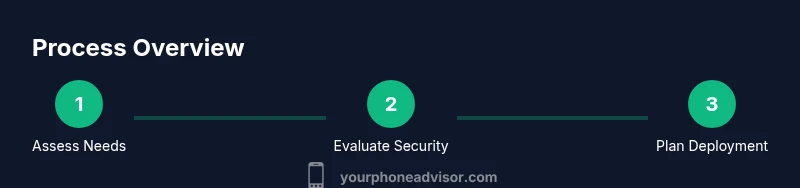
- 1
Define your business needs
List primary tasks the phone will handle (email, CRM, calls, document editing, travel). Identify must-have security features and preferred ecosystem. This baseline will guide device selection and plan choices.
Tip: Write down 5 must-have features and 3 nice-to-have features before you start comparing devices. - 2
Evaluate security requirements
Check for work profiles, device encryption, biometric login, and enterprise management compatibility. Ensure the device supports automatic security updates and remote wipe if needed.
Tip: Prioritize devices with frequent security patches and robust authentication options. - 3
Assess battery life and durability
Review tested endurance in typical business scenarios and verify water/dust resistance where applicable. Consider charging options that suit travel schedules.
Tip: Phrase test questions for sales reps or travelers: asks about uptime between charges in real-world use. - 4
Compare software ecosystems and apps
Ensure essential business apps work consistently, with availability of trusted versions for your platform. Check for enterprise app stores or enterprise-grade app management.
Tip: Confirm critical apps have enterprise-friendly features and offline access if needed. - 5
Check hardware and accessories
Confirm camera quality, speaker/mic performance, and compatibility with docking stations and accessories you rely on in meetings.
Tip: Test calling quality with a colleague before finalizing purchase. - 6
Decide on a service plan and total cost
Evaluate data allowances, roaming needs, warranty, and MDM licensing. Compute total cost of ownership over 2-3 years.
Tip: Ask about business bundles or enterprise discounts that reduce long-term costs. - 7
Pilot and validate
Run a short pilot with a chosen device in typical business scenarios to confirm performance, security, and ecosystem fit.
Tip: Get feedback from key users and adjust settings before rolling out widely. - 8
Plan deployment and governance
Prepare rollout steps, update policies, and ensure IT support is ready for ongoing maintenance and security updates.
Tip: Document governance rules for app installation and policy enforcement.
Got Questions?
What makes a phone suitable for business use?
A suitable business phone offers robust security, regular updates, strong app compatibility, and enterprise management options to protect data and support workflows.
A business-friendly phone emphasizes security, updates, and enterprise features to protect data and streamline work.
How much storage do I need for business apps and documents?
Aim for at least 128GB of local storage or more, with reliable cloud backup and offline access for critical documents.
Think 128GB or more with cloud backup so you can keep essential files offline when needed.
Should I choose iOS or Android for business?
Both platforms offer strong enterprise features; pick based on app compatibility, device management, and user preference.
Both iOS and Android work well for business; choose based on the apps you rely on and your IT setup.
Do I need a separate work profile?
Yes. A work profile keeps corporate data separate, enabling better security and easier policy enforcement.
Yes—keeping work data separate helps security and compliance.
How important is battery life for business users?
Very important. Plan for a full day of work, plus backups for long trips or meetings without frequent recharging.
Battery life matters a lot—plan for all-day use and backup options.
What about service plans and data usage?
Choose a plan with sufficient data, reasonable roaming options, and reliable vendor support; factor in MD licensing and warranties.
Pick a plan with enough data and strong support, plus consider warranties.
Watch Video
What to Remember
- Define must-have features before shopping.
- Prioritize security, updates, and enterprise management.
- Assess battery life and device durability for real-world use.
- Budget for total cost of ownership, not just device price.
- Plan deployment with governance to ensure long-term value.