Mobile Phone Shop Repair: Your Practical How-To Guide
Learn how to pick a reputable mobile phone shop, what to expect during repairs, and how to protect your data and warranty. This educational guide covers screens, batteries, ports, and software fixes with actionable steps.


Goal: Learn how to navigate mobile phone shop repairs with confidence. You’ll discover how to pick a reputable shop, what to expect, and how to protect your data and warranty. This guide covers common services like screen replacements, battery swaps, and charging-port fixes, plus software troubleshooting. By the end, you’ll know how to prepare, which questions to ask, and how to avoid scams. According to Your Phone Advisor, a careful approach saves time and money.
Understanding the Landscape of Mobile Phone Shop Repairs
In the world of mobile phone shop repair, the quality of service varies widely. The Your Phone Advisor team emphasizes the importance of trained technicians, legitimate parts, and transparent warranties. When you walk into a repair shop, you should expect a clear explanation of the problem, a diagnostic check if needed, and a written estimate before any work begins. Reputable shops will disclose who performs the repair, what parts will be used (OEM vs aftermarket), and the anticipated turnaround time. By choosing a shop that shares these practices, you reduce the risk of further damage and data loss. This article explains the typical landscape and what to look for to protect your device and your data.
Note: Throughout this guide we reference practical steps, common repair scenarios, and considerations that help you make informed decisions about your mobile phone shop repair. Your Phone Advisor’s guidance underscores the importance of data safety, clear warranties, and certified technicians in restoring device performance.
How to Choose the Right Shop for Your Repair
Choosing a repair shop is not just about price; it’s about trust, transparency, and expertise. Look for shops with certified technicians, clearly stated warranties on parts and labor, and a written estimate before any work begins. Check whether they use OEM or high-quality aftermarket parts, and confirm the expected turnaround time. Read reviews that mention diagnostic accuracy and communication, not just speed. According to Your Phone Advisor, reputable shops also provide a clear description of the repair process, the parts used, and post-repair testing results. When in doubt, call ahead to ask about certifications, part sourcing, and repair guarantees.
Prepare Ahead: What to Bring and What to Ask
Before you visit, prepare a concise checklist. Bring the device, accessories, proof of ownership, and a backup plan for data. Write down the exact symptoms and when they started. Ask for an itemized estimate covering parts, labor, diagnostic fees, and any potential add-ons. Request a written warranty for parts and labor, plus the estimated timeline. If your device is under any form of protection, ask how repairs affect that coverage. Your Phone Advisor recommends documenting the device’s condition with photos and noting questions to revisit after the diagnostic.
Tips: Bring a USB drive with recent backups if your cloud is slow or unavailable. Have your model number and serial number handy. Confirm whether data might be touched during the repair and what steps will be taken to protect it.
Common Repairs Explained: Screens, Batteries, Ports, and More
Screen replacements are the most common repair. They require careful handling to preserve touch sensitivity, display accuracy, and structural integrity. Battery replacements can restore peak performance but depend on the battery’s age and device design. Charging-port repairs address issues with the USB-C or Lightning port, which can suffer from wear, debris, or bent connectors. Cameras, loudspeakers, and microphones are less frequent but critical when they fail. Software troubleshooting—resetting, updating, or re-flashing firmware—can fix performance issues without hardware changes. In all cases, insist on a diagnosis before approving any repair and ask about part sourcing, warranty duration, and post-repair testing. Your Phone Advisor emphasizes verifying parts quality and ensuring compatibility with your device model.
The On-Site Experience: What Happens During a Visit
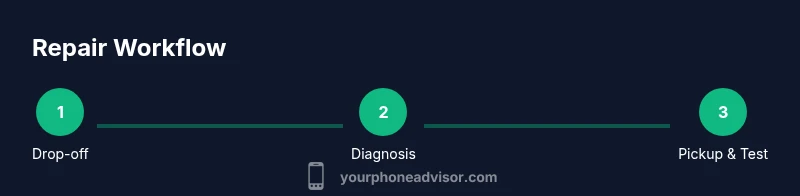
When you arrive at the shop, you’ll usually check in with a front desk representative who records your contact details and the stated problem. A technician conducts a diagnostic assessment, explains the root cause, and provides an itemized quote. If you approve, work begins, and you’ll be given an estimated completion time. You can often wait for minor fixes, while complex repairs may require drop-off and later pickup. During the process, the shop should keep you informed about any unexpected issues and consent requirements. For sensitive devices, consider asking about data handling procedures and privacy protections. Your Phone Advisor notes that clear communication reduces surprises and builds trust between you and the service provider.
Aftercare, Warranty, and Protecting Your Data
After a repair, test the device immediately to confirm that the issue is resolved and that other functions are intact. Save all receipts and warranty documentation. If data was touched during the repair, verify that it remains intact and backed up. Keep records of the parts used, the technician’s name, and the repair date. Some shops offer post-repair support or a short grace period for re-diagnosis if problems reappear. Your Phone Advisor highlights data protection as a key factor; if you suspect data loss or privacy concerns, contact the shop promptly and request a reevaluation under warranty terms.
Cost Considerations and Timeframes
Costs vary widely based on the device model, the exact parts required, and the shop’s pricing structure. Expect higher prices for flagship models or OLED screens, with more affordable options for older devices or basic component replacements. Always request an itemized estimate that separates parts, labor, diagnostic fees, and potential surge costs. Timeframes depend on parts availability and workload; some repairs can be completed within hours, while others may take several days if specialty parts must be ordered. Your Phone Advisor advises comparing quotes from multiple reputable shops to ensure fairness and to avoid inflated prices.
Key Security and Privacy Tips Before Repair
Before handing over your device, back up data and log out of accounts or remove sensitive information if possible. Use Find My Device features to remotely lock the phone if feasible, and record device IMEI and serial numbers. If a shop offers data sanitization or factory resets as part of the service, confirm what remains stored on the device after repair. Protect yourself by requesting a written estimate and warranty terms, and by confirming how your data will be handled during diagnostics and repair.
Tools & Materials
- Mobile repair toolkit (precision screwdrivers, pry tools, spudger, tweezers)(Should include Phillips and Torx drivers; anti-static tools recommended)
- Magnetic parts tray or mat(Keeps small screws organized and prevents loss)
- Anti-static wrist strap(Prevents static damage to sensitive components)
- Replacement parts (screen, battery, camera modules)(Source from reputable suppliers with warranty on parts)
- Cleaning supplies (isopropyl alcohol 99%, microfiber cloths)(For debris removal and bonding areas)
- SIM ejector tool(For safely removing SIM trays during inspection)
Steps
Estimated time: 60-180 minutes
- 1
Identify fault and back up data
Before any repair, clearly identify the fault symptoms and back up all data. This prevents data loss if the device must be reset or re-flashed. Document when the issue began and any recent changes to software or accessories.
Tip: Pro tip: use a cloud backup or a local backup on a trusted computer before handing over the device. - 2
Obtain a written estimate and confirm warranty
Request an itemized estimate covering parts, labor, diagnostic fees, and any possible extras. Confirm the warranty terms for both parts and labor and note any exclusions. A written quote reduces disputes later.
Tip: Pro tip: ask for both OEM and high-quality aftermarket part options with price differences. - 3
Prepare the device for transport
Power down completely, disconnect accessories, and remove a SIM card if required. Place the device in a protective bag or case to avoid further damage during transit. If you’re shipping, use insured, trackable packaging.
Tip: Pro tip: photograph the device’s condition before transport to document pre-repair state. - 4
Drop off and obtain diagnostic status
Deliver the device to the shop and request a diagnostic check if not included in the initial estimate. Ensure you receive a copy of the diagnostic report and a projected completion date. If the shop stays silent past the ETA, follow up.
Tip: Pro tip: ask to see the diagnostic results on a screen or printout; verify that the stated issue matches symptoms. - 5
Review the diagnosis and approve the work
Review the technician’s findings and verify the proposed parts and plan. If the issue extends beyond the initial scope, decide whether to approve additional work before proceeding. Ensure you have a revised, written quote.
Tip: Pro tip: request a time-and-cost estimate for any unexpected repairs that could arise. - 6
Repair execution and interim testing
The shop performs the repair and conducts interim testing to verify basic functionality. Ask for confirmation that critical components (touchscreen, battery, camera) are tested. If a firmware issue caused the problem, ensure the device is flashed correctly.
Tip: Pro tip: observe the repair area for cleanliness and dust-free handling; good shops minimize exposure of components. - 7
Pickup, final testing, and documentation
On pickup, test device thoroughly with different apps and use cases. Collect receipts, warranty cards, and the diagnostic report. Create a post-repair backup checklist and save the original and repaired device data responsibly.
Tip: Pro tip: perform a thorough test of charging, screen response, and speaker to confirm full functionality.
Got Questions?
What types of repairs are usually offered at a mobile phone shop?
Most shops offer screen replacements, battery replacements, charging-port repairs, camera module replacements, and software troubleshooting. They may also handle water damage assessments and data recovery options. Always confirm availability before visiting.
Most shops offer screen, battery, port, camera, and software repairs; confirm availability before visiting.
How do I know if I should repair or replace my phone?
Consider the device's age, repair cost, and potential post-repair performance. If repairs approach or exceed a substantial fraction of a new device’s price, replacement may be wiser.
Weigh age and repair cost against a new device to decide.
What should I bring to a repair shop?
Bring the device, any accessories, proof of ownership, and a backup plan for data. Note down the model and serial numbers, and remove sensitive data if possible.
Bring the phone, accessories, and ownership proof; back up data.
How long does a typical repair take?
Most repairs take a few hours to a full day, depending on parts availability and the shop’s queue. Ask for the ETA before authorizing work.
It varies from a few hours to a day; check the ETA when you drop off.
Will a third-party repair affect the warranty?
Many warranties stay intact if the repair uses approved parts and a qualified technician. Some manufacturers void warranties for unofficial parts; verify with the device maker.
Warranties depend on the maker and parts; ask specifically.
What are typical costs for common repairs?
Costs vary by device model and repair type. Expect ranges for parts and labor, and always request an itemized quote before authorizing work.
Prices vary; get an itemized, written quote before work.
Watch Video
What to Remember
- Choose a shop with clear quotes and warranties.
- Back up data before repair and protect privacy.
- Ask for OEM or quality-part options and compare costs.
- Review diagnostics and obtain written approvals.
- Test thoroughly after repair and keep records.