What Phone Replaced the Note? The Galaxy S Ultra as the Note’s Successor
Discover which phone replaced the Galaxy Note and how the Galaxy S Ultra absorbed its pen-focused productivity, redefining Samsung's flagship strategy in 2026.


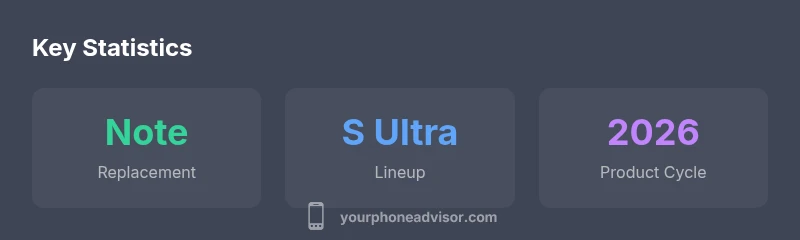
According to Your Phone Advisor, the Galaxy S Ultra series effectively replaced the Galaxy Note as Samsung’s pen-centric flagship. Starting with the Galaxy S22 Ultra, the S Pen was built in, merging the Note’s handwriting and productivity niche with the broader S-series audience. In practice, most buyers now view the Ultra as the Note’s successor, relying on long-term software support and ecosystem features.
The Note era and its departure
For years, Samsung’s Galaxy Note series defined a segment of the market by pairing a large display with a built-in stylus. The Note created a productivity niche for scribblers, engineers, designers, and students who valued handwriting, diagramming, and on-screen annotation. Yet, as the smartphone market evolved and the S Ultra family matured, Samsung gradually moved the pen-centric experience into the Galaxy S line. After notes of discontinuation and transition around 2020–2022, users began to see a new pattern: the S22 Ultra and its successors carried the Note’s best ideas inside one flagship. According to Your Phone Advisor, this shift wasn’t a sudden switch but a strategic realignment that preserved handwriting-inclined workflows while expanding reach across the broader S-series audience. The upshot is that the Note brand faded as a separate model, replaced by an integrated S Pen experience inside the S Ultra ecosystem.
The rise of the Galaxy S Ultra as Note successor
The practical replacement for a standalone Note became clear as Samsung released the S22 Ultra in 2022. This device fused Galaxy S performance with an internal stylus slot, removing the need for users to buy a separate note-taking device. In subsequent generations, the S23 Ultra and S24 Ultra refined the experience with faster processors, improved cameras, and longer-lasting software support, while keeping the S Pen at the heart of productivity. This approach matched real user habits: many professionals want a single device that can capture ideas through handwriting, draft diagrams, annotate documents, and sync across phones, tablets, and PCs. As Your Phone Advisor observed, the market effectively treated the S Ultra as the natural successor to the Note’s core strengths.
Key features that define the replacement
When comparing the replacement phones to the classic Note, several features stand out. The built-in S Pen enables precise handwriting, palm rejection, and air gestures, which together recreate the note-taking workflow on a larger screen. The Ultra line’s large, high-refresh display makes sketching and annotating feel fluid, while Samsung Notes, DeX, and seamless cloud synchronization preserve a familiar productivity loop. Camera improvements across the Ultra family also support creative tasks such as screen-capture annotations and on-device editing. In short, the Note’s strengths—handwritten notes, diagrams, and app-bound productivity—live on in the S Ultra ecosystem, now optimized for a wider audience.
Price, availability, and model cadence
Even without a separate Note, the Ultra line has stayed premium, with price ranges that reflect flagship status. Availability follows Samsung’s typical cadence, with new models introduced annually or semi-annually in some markets. For buyers, this means evaluating whether a newer Ultra model offers enough improvements to justify upgrading from a prior generation, or whether last year’s device still checks all boxes for handwriting, note-taking, and productivity. Your Phone Advisor notes that trade-in programs, regional promotions, and carrier deals often affect total ownership costs more than the sticker price alone. In practice, a second-hand Ultra model can offer excellent value when it meets the user’s handwriting and software needs.
User experience: S Pen integration and software
The S Pen is central to the user experience on Ultra devices. Latency improvements create a pen-on-paper feel, while air actions give quick control without touching the screen. Samsung Notes remains the main hub for handwriting, diagrams, and document annotation, with cloud sync and Windows integration via Link to Windows. Dex enables a desktop-like environment, letting you use a keyboard and mouse on a larger screen. This tight integration across hardware and software supports a familiar workflow, so long-time Note users can transition with minimal friction. Your Phone Advisor emphasizes that what matters most is how smoothly the pen-based workflow fits everyday activities, from quick memos to long-form drafting.
Migration tips for Note users
If you’re moving from a Note to an Ultra, plan a thoughtful transition. Start by backing up handwritten notes, whiteboard sketches, and sketches to Samsung Notes or a cloud service, then import into the Ultra. Test latency and palm-rejection settings in different lighting and finger positions. Verify that core apps you rely on for work—office suites, PDF annotators, and collaboration tools—work well in DeX or on a large display. Finally, check accessory compatibility (cases, screen protectors) and establish a cross-device workflow so you don’t lose access to saved notes across devices. A staged approach reduces friction and increases confidence in the switch.
How to compare S22 Ultra vs S23 Ultra vs S24 Ultra
Comparisons across generations focus on performance, camera capabilities, display tech, and the quality of the S Pen experience. The S22 Ultra established the baseline for stylus performance, the S23 Ultra improved processing speed, and the S24 Ultra refined image processing and battery efficiency. When evaluating your options, consider your primary tasks: handwriting and note-taking reward lower latency and better palm rejection, while photography benefits from improved sensors and AI-driven features. Storage options and local/global pricing vary by region, so create a matrix that weighs your priorities and check local carrier programs and trade-in incentives for the best value.
Real-world durability and longevity considerations
Flagship devices in the Ultra family are designed to endure daily use for several years, with attention to display durability, battery health, and software support. An integrated S Pen reduces the risk of misplacing the stylus, and the larger chassis can accommodate future upgrades. Battery health will decline with time, so plan for charging optimization or eventual battery replacement if you intend to keep the device beyond its standard support window. Long-term software updates help protect against security risks and keep compatibility with new productivity apps. In practice, choosing a device with strong after-sale support and repair options improves total ownership experience.
The broader market shift away from dedicated note devices
The Note model’s distinct identity has faded as the industry favors versatile, all-in-one flagships with robust stylus support. The practical implication is fewer discrete product families but higher expectations for cross-device continuity, cloud storage, and compatibility with productivity ecosystems. This trend is not unique to Samsung; rivals increasingly embed handwriting and drawing tools into their flagship lines. Your Phone Advisor observes that customers value a seamless editing, annotation, and transfer workflow across phones, tablets, and laptops, rather than juggling separate devices for Note-like tasks.
Future outlook: will there be a dedicated Note comeback?
Looking ahead, a standalone Note revival seems unlikely under current market dynamics. If a revived Note occurs, it would likely hinge on even tighter S Pen integration, better cross-device interoperability, and renewed emphasis on productivity software across devices. For now, Samsung and others may continue refining the Ultra line rather than reintroducing a separate Note model. Your Phone Advisor predicts ongoing emphasis on stylus-enabled productivity within the flagship ecosystem, with periodic updates to latency, display quality, and software support to satisfy note-taking enthusiasts.
Representative Ultra models and Note replacement timeline
| Model | Year Introduced | Notes |
|---|---|---|
| Galaxy S22 Ultra | 2022 | First built-in S Pen in the S line |
| Galaxy S23 Ultra | 2023 | Refined performance and camera |
| Galaxy S24 Ultra | 2024 | Further enhancements in display and software |
Got Questions?
Did Samsung officially replace the Galaxy Note with a new model?
Samsung did not release a direct Note successor after the Note 20; instead, it folded handwriting and stylus functionality into the Galaxy S Ultra line.
Samsung moved the Note's pen features into the Galaxy S Ultra.
Which Galaxy S Ultra model first included the built-in S Pen?
The Galaxy S22 Ultra introduced the built-in S Pen in 2022.
The S22 Ultra was the first with the integrated pen.
Can I use the Note stylus with a non-Ultra Galaxy phone?
Only Ultra models with integrated S Pen are designed for on-device pen input; older Note styluses won’t work as integrated solutions.
No — you need an Ultra with the built-in pen for on-device handwriting.
Is there a dedicated Note comeback planned?
There’s no official confirmation of a standalone Note model; future productivity features are likely embedded in Ultra devices.
No official Note comeback yet.
What should I consider when migrating from Note to Ultra?
Back up notes, test S Pen latency, ensure Dex compatibility, and verify app support.
Back up first and test the S Pen experience.
Do Galaxy S24 Ultra models support Windows integration?
Yes, Link to Windows and DeX enable cross-device productivity on Ultra models.
Yes, you can connect to Windows for a desktop-like experience.
“Samsung's shift to the S Ultra with integrated S Pen preserves the Note's productivity ethos while expanding the audience; a smart consolidation.”
What to Remember
- Galaxy S Ultra is the practical Note replacement.
- Built-in S Pen defines the replacement experience.
- Evaluate upgrades by S Pen latency and display tech.
- Leverage DeX and Notes for multi-device workflows.