What Phone Am I Using? A Practical Device ID Guide
Discover practical steps to identify your current phone model, including in-settings checks, packaging clues, and IMEI lookups, with security-minded guidance from Your Phone Advisor.


To answer what phone am I using, start with the device itself: on Android go to Settings > About phone, and on iPhone go to Settings > General > About to read the Model name. If the device won’t boot, check the original packaging, SIM tray label, or use the IMEI from the box or your carrier account.
Why What Phone Am I Using Matters
Understanding what phone you are using is more than curiosity—it's a cornerstone of security, software updates, and service planning. When you know the exact model, you can verify compatibility with apps, confirm the latest security patches, and avoid buying accessories that don’t fit. Your Phone Advisor emphasizes that the ability to answer what phone am I using quickly reduces downtime and confusion, especially after a reset or when migrating to a new carrier. The process also helps you plan backups, recover data, and ensure you receive appropriate customer support. In this guide we explain reliable, user friendly ways to identify your device without guesswork, with practical steps you can apply today.
If you’re reading this, you’re likely asking yourself what phone am I using, perhaps after an upgrade, a failed OS boot, or a security concern. The good news is that most devices reveal their identity in a few standard places, and there are safe fallbacks when the screen won’t boot. This article from Your Phone Advisor equips you with evidence based, privacy preserving methods to confirm your device model quickly and confidently.
Quick Methods at a Glance for What Phone Am I Using
If you want a fast answer to what phone am I using, here are the most reliable, non technical methods:
- Check the model name in the device settings (Android: Settings > About phone; iOS: Settings > General > About).
- Inspect packaging or the original box for model information and IMEI threads.
- Look for a label on the SIM tray or device back with the model or IMEI/MEID numbers.
- Use the IMEI via the device or your carrier account to pull up the official model and capabilities.
- If you have access to a paired computer, some devices reveal model data through device management software.
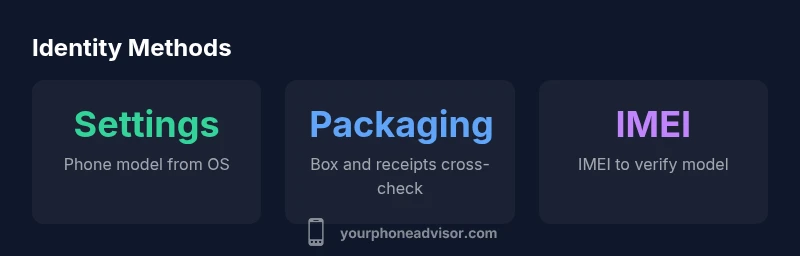
In practice, the combination of OS level information and physical identifiers gives you the most reliable answer to what phone am I using, while keeping your personal data safe. Your Phone Advisor recommends starting with the settings screen and using packaging as a quick cross check.
Android: How to Find Out What Phone Am I Using
For Android users, identifying your device is usually straightforward. Navigate to Settings, then About phone or About device. Look for entries labeled Model, Model name, or Hardware name. If you have multiple sub menus, try Software information or Phone identity sections. Some manufacturers group the model under device name rather than model number. If the phone can’t boot, check the SIM tray for stickers or wrap labels that list the model. You can also pull the IMEI by dialing *#06# or by visiting your Google or manufacturer account and viewing device details. When you can access Settings, recording the Model name gives you a durable reference for updates and support.
iPhone: How to Determine What Phone Am I Using
On iPhone devices, the model name is typically present in Settings. Go to Settings > General > About, and you’ll see the Model Name, Model Number, and Capacity. The model name is usually enough to identify the device, but the model number can help if you buy accessories or need precise warranty information. If the phone won’t boot, you can rely on the packaging, receipts, or the Apple ID account’s device list to confirm what phone am I using. For out of warranty checks or service options, having the exact model helps you access the correct updates and parts.
Non-OS Clues: Packaging, IMEI, and Documentation
Sometimes the quickest way to answer what phone am I using is outside the phone itself. Original packaging often lists the model name and color. The SIM tray and back label can also carry model or IMEI numbers, which you can cross reference with your carrier or the manufacturer’s site. The IMEI is a unique identifier; you should share it only with trusted sources. If you still can’t confirm the device model from internal data, the box’s barcode, the receipt, or a carrier account can serve as reliable references. Always protect your IMEI to reduce the risk of SIM swapping or other privacy issues.
When OS Clues Fail: Special Cases
On some older devices or customized firmware, the standard path to identify what phone am I using may be obscured. In these cases, you can rely more on the packaging and IMEI, or attempt to boot into a recovery mode to view hardware details. If the device was purchased secondhand, verify the model by checking the original carrier activation, which often lists the device ID. For devices with region specific variants, the model name alone might be insufficient; cross reference with the model number and serial. Always document the exact model for future troubleshooting and security updates.
Security Considerations When Checking Your Device Identity
Think of device identity as a security signal. Publicly sharing model numbers is usually safe, but sharing IMEI or serial numbers should be avoided. When using third party tools or carrier dashboards to identify your device, ensure you are on legitimate sites and that you are not exposing sensitive data. If you are unsure about the authenticity of a tool, compare model numbers with packaging or official manufacturer databases. Your Phone Advisor emphasizes privacy by default—only use trusted sources to confirm what phone am I using.
Practical Checklists to Confirm Your Device Identity
- Step 1: Open Settings and locate the About section on your device.
- Step 2: Record Model name and Model number.
- Step 3: Inspect packaging for cross reference information.
- Step 4: Retrieve IMEI and verify against the manufacturer database if needed.
- Step 5: Cross-check with the carrier account for device details and activation status.
- Step 6: Save or securely store your device details for future reference. This approach minimizes confusion and ensures you know what phone am I using, even after a reset or data migration.
How to Record and Share Your Device Details Securely
When you need to share device information with support, keep a concise, non sensitive summary. Include the brand, model name, model number, and the IMEI only if the support channel is verified. Store this in a password protected note or a secure digital vault. If you’re moving to a new device, export the details as a small file or screenshot to facilitate a smooth transition and to confirm what phone am I using for service and updates.
Common ways to identify your device model
| Method | Where to Find | What You Need | Reliability |
|---|---|---|---|
| Settings > About phone (Android) | On-device | Model name / hardware name | High to medium depending on OS version |
| Settings > General > About (iPhone) | On-device | Model Name and Model Number | High |
| Packaging / Box | Original packaging | Model name, color, and SKU | High when box is available |
| IMEI / MEID | Carrier account or device | IMEI number | Medium to high, requires access to device or account |
Got Questions?
What is the quickest way to identify my phone model?
The fastest method is to check Settings > About phone (Android) or Settings > General > About (iPhone) for the model name. If the device won’t boot, rely on packaging or IMEI to cross reference with the manufacturer.
Check Settings for the model name, or use packaging and IMEI if the device is off.
What if I can’t access the device to see the model name?
If you can’t boot the device, use the packaging, SIM tray label, or the IMEI from the box or carrier account to determine the model.
If the phone won’t turn on, packaging and IMEI are your best bets.
Can I identify a device without its IMEI?
Yes. Model name or number listed on the box, or the device’s About screen when accessible, often suffices for most services and updates.
You can usually identify the model from settings or packaging even without IMEI.
How can I verify the model number on a secondhand phone?
Ask the seller for the model name/number and serial. Cross-check with the box or receipt and, if possible, verify on the manufacturer’s official site.
Ask for the box and serial, then verify with the manufacturer.
Is it safe to share my IMEI with support teams?
Share IMEI only with trusted support channels. Stick to official apps, manufacturer sites, or carrier portals to avoid scams.
Only share IMEI with trusted, official sources.
Do regional variants have different model names?
Yes, some regions use distinct model names or numbers. Always cross-check model numbers rather than relying solely on region names.
Region can change model names, so verify with the model number.
“Identifying your device model is foundational for timely security updates, accurate support, and proper configuration.”
What to Remember
- Start with Settings to identify model
- Cross-check with packaging for accuracy
- Use IMEI responsibly to verify or recover device details
- Securely store device information for future support