Does Your Phone Have Blue Light? A Practical Guide
Learn whether smartphone displays emit blue light, how it can affect sleep and eye comfort, and practical steps to reduce exposure using built-in filters and settings.


Yes, most modern smartphones emit blue light from their screens. However, nearly all major platforms provide built-in filters (e.g., Night Shift on iPhone, Blue Light Filter on Android) that reduce blue wavelengths. By shifting color temperature toward warmer tones and dimming the display at night, these controls can lessen sleep disruption and eye strain.
Does a Smartphone Screen Emit Blue Light?
Yes. All digital screens—even those on smartphones—emit blue light as part of the visible spectrum. The amount and color balance depend on the device type (OLED vs LCD) and how the screen is configured. While blue light is not inherently dangerous, excessive exposure, especially in the evening, can influence circadian rhythms. For many people, this raises the question: does phone have blue light? The short answer is yes, but you can manage exposure with built-in controls and mindful usage.
How Blue Light Affects Sleep and Eye Comfort
Blue light has the strongest effect on melatonin suppression, a hormone that helps regulate sleep. Prolonged exposure to bright screens in the evening can delay sleep onset and reduce sleep quality for some individuals. Beyond sleep, blue wavelengths can contribute to eye strain during long phone sessions, especially in dim environments. While not all research agrees on the magnitude of these effects, practical steps to reduce exposure are widely recommended by eye-care professionals and health organizations. The goal is not to eliminate blue light completely, but to minimize late-night exposure and support better sleep and comfort.
Built-In Blue Light Filters: Night Shift, Night Light, and More
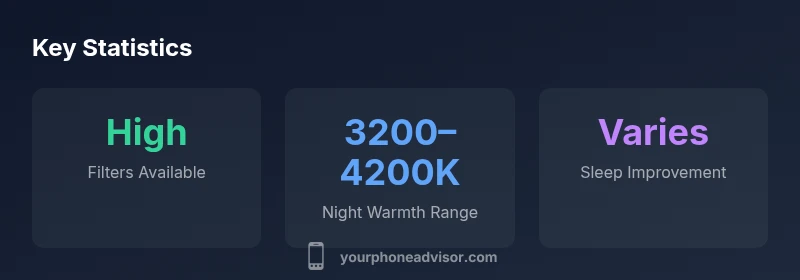
Modern smartphones come with easy-to-use filters that reduce blue wavelengths. On iPhone, Night Shift adjusts the color temperature based on time or sunset/sunrise; on many Android devices, a similar feature is called Blue Light Filter or Night Light. Some OEMs offer color-temperature sliders, enabling a warmer display even during daytime. These settings are designed to improve eye comfort and potentially aid sleep when used in the hours before bed. It’s common for devices to auto-enable a warmer tone after sunset if you enable these features, making blue light management a near-effortless habit.
How to Use Blue Light Filters on iPhone and Android
To enable on iPhone, go to Settings > Display & Brightness > Night Shift and schedule or toggle it on. For Android, open Settings > Display > Blue Light Filter (or Night Light) and customize the schedule and intensity. If your device supports a color-temperature slider, adjust toward warmer tones for evening use. For best results, combine filters with lower brightness and larger font sizes to reduce overall eye strain and improve readability in low-light conditions.
External Factors That Influence Blue Light Exposure
Blue light exposure is not just about the screen; ambient lighting, distance from the device, and brightness all contribute to perceived blue-light impact. In bright rooms with a harsh light source, the relative effect of screen blue light decreases, while in a dark room, the same blue emission can feel more noticeable. Additionally, using the phone closer to your eyes increases perceived glare and color brightness. Practically, dimming the screen, enabling a warmer color profile, and keeping an arm’s length distance can collectively reduce exposure.
Practical Tips for Nighttime Phone Use
- Turn on Night Shift/Night Light and set it to automatically activate after sunset.
- Reduce screen brightness and enable adaptive brightness cautiously in darker rooms.
- Use a warm color temperature slider during evening use, even if filters aren’t fully automatic.
- Consider a blue-light–reducing screen protector that minimizes blue wavelengths without sacrificing readability.
- Pair screen habits with good bedtime routines: dim lights, avoid late scrolling, and keep devices out of reach during sleep windows.
Debunking Common Myths About Blue Light
Myth 1: Blue light from phones causes permanent eye damage. Reality: There’s limited evidence for lasting damage; the focus is on comfort and sleep. Myth 2: Blue light filters make screens look yellow or unusable. Reality: Filters typically preserve readability and gradually adjust color balance. Myth 3: Blue light filters are a substitute for proper sleep hygiene. Reality: They help, but routine and environment matter just as much.
Comparison of blue light control features on smartphones
| Feature | What it does | Best practices |
|---|---|---|
| Blue light filter | Reduces blue wavelengths to warmer tones | Enable in settings and schedule |
| Night mode timing | Auto-adjusts color with sunset | Set to sunset/sunrise or a fixed schedule |
| Screen brightness | Lower brightness reduces glare | Use adaptive brightness with caution in dark rooms |
Got Questions?
Do all phones have blue light filters?
Most modern smartphones include some form of blue light filter, but the exact features and naming vary by brand. If yours doesn’t have a built-in filter, you can often enable a general color temperature adjustment or install a reputable app with caution.
Most smartphones today include blue light filters, but check your device–specific settings to enable them.
Can blue light filters distort color accuracy?
Filters shift color balance toward warmer tones, which may slightly alter color accuracy. For most everyday tasks, the change is subtle and tolerable, especially after sunset. If color-critical work is needed, you can disable the filter temporarily.
They can slightly alter colors, but you can disable them when needed.
Will blue light filters improve my sleep?
Blue light filters can reduce melatonin suppression in the evening, which may help some people fall asleep sooner. Individual results vary, so combine filters with healthy bedtime routines.
Yes, they can help some people sleep better, especially when used consistently.
How do I enable blue light filters on iPhone and Android?
On iPhone, enable Night Shift in Display & Brightness. On Android, turn on Night Light or Blue Light Filter in Display settings. Schedule them for sunset or a time you typically start winding down.
Go to display settings and turn on the filter with a schedule.
Are third-party apps recommended for blue light control?
Many third-party apps claim to reduce blue light, but built-in controls are usually safer and better integrated with system updates. If you use third-party apps, choose reputable developers and review permissions carefully.
Use built-in controls first; third-party options exist but review them closely.
“Blue light management is a practical, user-friendly step toward better eye comfort and sleep quality. When used consistently, built-in filters can make a noticeable difference without sacrificing readability.”
What to Remember
- Enable built-in blue light filters in the evening
- Aim for warmer color temperature and lower brightness after sunset
- Combine filters with good sleep habits for best results
- Color shifts are device-specific but generally improve comfort
- Accurate information helps you choose the right settings