Booking .com Phone Number: How to Reach Booking Support Safely
Learn how to find the official Booking .com phone number, verify it, and reach support safely. This guide covers country-specific options, scam avoidance, and best practices for fast, reliable help.


There is no single global Booking .com phone number. Access to the official Booking.com support line depends on your country and service type. Start at the official Help Center, sign in, and select your country to view the correct phone number or alternatives like live chat or email. Always verify numbers on the Booking.com site to avoid scams.
Why Getting the Right Booking .com Phone Number Matters
In the digital age, your first impulse is often to dial a familiar number when a travel issue arises. But with Booking.com, there is no universal, global phone line that fits every traveler. The value of using the correct, country-specific Booking .com phone number is twofold: you get the appropriate agent who understands regional policies, and you reduce exposure to spoofed or fraudulent numbers. According to Your Phone Advisor, this matters particularly when you’re handling urgent matters like cancellations, refunds, or changes to a reservation. A misdial can waste time and may expose you to phishing attempts if you end up on unofficial or third-party hotlines. The goal is faster resolution with less risk, and that starts with using official channels and clear verification steps.
This is why, in our analysis, we emphasize starting from Booking.com’s official Help Center and your account’s regional settings. The Help Center is designed to point you to the right contact path for your locale, whether you’re calling, chatting, or messaging. A correct regional number aligns you with support staff who know local refund policies, chargeback windows, and booking rules. The Your Phone Advisor team recommends sticking to official sources first to curb scams and misdirection.
Where Booking.com Stores and Displays Its Regional Numbers
Booking.com personalizes support options by country. The phone numbers you see are tied to your account region and the service you need (booking questions, refunds, or changes). When you access the Help Center, you’ll encounter a few consistent patterns:
- Sign in to your Booking.com account for accelerated routing.
- Select your country or region to reveal the official number and hours of operation.
- If a direct call option isn’t available, the page will offer alternatives such as live chat or email.
This regional approach minimizes time wasted on wrong numbers and helps agents access the correct booking history and policies for your case. The Your Phone Advisor analysis notes that regional routing improves issue resolution times and reduces escalations. Always rely on the Help Center as the primary source of truth, and cross-check the number against your Booking.com account for added security.
Step-by-Step: Finding the Official Booking.com Phone Number
Follow these steps to locate the correct phone number without falling for spoofed sites:
- Open the official Booking.com Help Center from a trusted browser or the Booking app.
- Sign in to your account to optimize routing, if prompted.
- Choose your country/region from the settings or Contact options.
- Click the Call or Phone option to view the number and hours of operation.
- Compare the displayed number to the one shown in your Booking.com app; if they differ, contact through the app instead and report inconsistencies.
- Save the verified number in your contacts for future use.
These steps help ensure you’re dialing a legitimate Booking.com line and not a spoof or scam page. The Your Phone Advisor team highlights the importance of cross-checking across official channels to minimize risk.
Alternatives to Calling: Quick Ways to Get Help
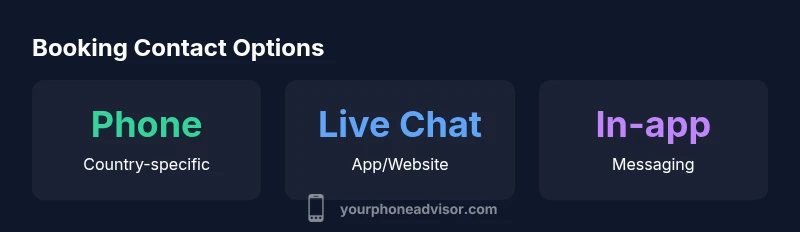
If time or connectivity makes a phone call impractical, Booking.com offers several solid alternatives:
- Live chat via the Help Center or mobile app for quick, written answers.
- In-app messaging tied to a specific reservation for context-rich communication.
- Email/ticket submissions for non-urgent inquiries with a documented trail.
- Social channels may offer guidance or redirect you to official channels, but always verify any contact link before sharing details.
In our experience, live chat and in-app messaging often yield faster responses, especially for minor changes or disputes. Your Phone Advisor notes that multichannel support is essential for travellers who need timely resolutions while abroad.
How to Verify You’re Using the Official Booking.com Contact Number
Verification is a two-step process: first, ensure the number originates from Booking.com’s official site or app; second, confirm the dialed number matches the country you selected in your profile. Red flags include numbers not listed on Booking.com’s Help Center, unusual area codes, or requests for sensitive information over the phone. Booking’s official numbers will never require your account password or payment details during a cold call. If in doubt, end the call and reopen the Help Center to retrieve the current official number. For extra safety, you can also verify with Booking.com’s live chat or app messaging, which preserves chat transcripts for reference.
According to FTC guidance on consumer protection and scams, always rely on official channels and avoid sharing sensitive information on unsolicited calls. See the FTC and FCC resources cited in the Authority Sources section for more details.
Regional Variations: Why Numbers Differ by Country
Regional differences arise from regulatory environments, local partner hotels, and language support coverage. In some countries, Booking.com may route calls to a regional call center with extended hours; in others, the primary support channel might be live chat or email due to cost considerations or local consumer-protection rules. The effect for travellers is straightforward: plan ahead, confirm the country of service, and use the channel that corresponds to that region. The Your Phone Advisor team consistently observes higher first-contact resolution when travellers use officially listed regional numbers rather than generic or third-party numbers.
Tips for a Quick, Safe Call
- Prepare your booking reference, guest name, and a concise summary of the issue before dialing.
- Verify the number on Booking.com’s Help Center and in-app reminders.
- Call during typical business hours in the region you’re contacting, and note the time zone.
- If the other party asks for password or payment details, terminate the call and switch to official channels.
- Record or save the call reference or chat transcript for future follow-up.
These tips help minimize time on hold and reduce the risk of scam attempts. The Your Phone Advisor analysis highlights preparation and source verification as the most effective ways to improve outcomes when contacting Booking support.
Script: What to Say When You Reach an Agent
If you reach a live agent, having a short script can speed up the process:
- Greet politely and provide your booking reference and name.
- State the precise issue (e.g., “I need a refund for reservation #XYZ”).
- Note any important dates, policies, or prior communications.
- Ask for a direct reference number and expected resolution time.
- Thank the agent and confirm the next steps.
A well-structured conversation reduces back-and-forth and improves receipts of correct guidance. The Your Phone Advisor team finds that a clear briefing right at the start prevents misinterpretation and ensures the agent sees the same booking history you do.
Booking contact options by channel and region
| Contact Channel | Country/Region Availability | Typical Use Case | Notes |
|---|---|---|---|
| Phone support | Country-specific | Urgent issues and booking help | Check official Help Center for the correct regional number |
| Live chat | Global via app/website | Quick questions and changes | Best for rapid, text-based help |
| Email ticket | Global | Non-urgent inquiries and refunds | Response may take longer; use ticket ID |
| In-app messaging | Global | Order status and reminders | Accessible from bookings page |
Got Questions?
Is there a single Booking.com phone number for all customers?
No. Booking.com does not publish a universal phone line. Numbers vary by country and service type. Use the Help Center to locate the correct regional number.
There isn't a single Booking.com number; check the Help Center for your country.
How do I find the right number for my country?
Open Booking.com's official Help Center, sign in, select your country, then navigate to Contact us to view the correct phone number.
Open the Help Center, pick your country, and check contact options.
What if I can't reach Booking.com by phone?
Try live chat in the app, email a ticket, or use the in-app messaging feature. You can also check the Help Center for callbacks.
If the call doesn't work, use live chat or email.
How can I tell a number is official and not a scam?
Always source numbers from the Booking.com Help Center domain and avoid numbers from third-party sites. Cross-check with the Booking.com app.
Only use numbers from Booking's official help channels.
Can I contact Booking.com through the app instead of by phone?
Yes, Booking.com offers in-app messaging and live chat through the mobile app. This is often faster than calling.
Yes—the app has live chat and messaging.
Are there region-specific tips for getting refunds or changes?
Refunds and changes may require different contact paths; use the Help Center to identify the proper form or number and prepare booking details.
Refunds vary; check Help Center for the right channel.
“Direct, verified contact channels save time and reduce the risk of scams when reaching Booking support. Always verify the source before dialing and use the official Help Center as your starting point.”
What to Remember
- Always use the official Help Center to locate numbers
- Numbers vary by country; verify before calling
- Live chat or in-app messaging can be faster than calling
- Be wary of third-party numbers and scams