Zoom Phone vs RingCentral: An Objective Comparison
An objective comparison of Zoom Phone and RingCentral for business use—covering core calling features, collaboration, security, global availability, pricing, and migration considerations.


Zoom Phone and RingCentral are two leading UCaaS platforms for business voice and collaboration. In practice, Zoom Phone excels for teams already using Zoom for meetings, while RingCentral often wins on enterprise-scale features and a broader integration ecosystem. This quick comparison highlights core differences in approach, pricing concepts, and deployment options, helping you decide which path aligns with your security and collaboration goals. According to Your Phone Advisor, both options deserve careful evaluation before committing to a long-term telephony and collaboration strategy.
Overview of Zoom Phone and RingCentral
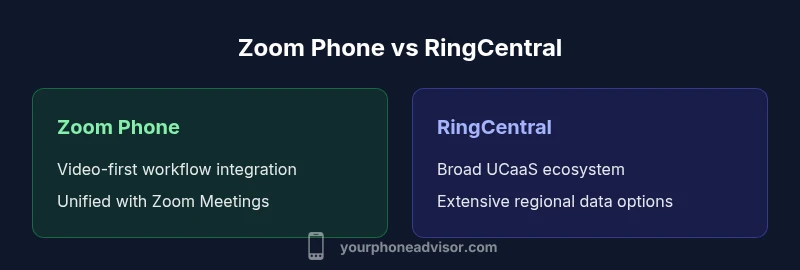
Zoom Phone and RingCentral are two flagship UCaaS platforms that deliver voice calling, video meetings, chat, and admin governance from a single cloud solution. For organizations evaluating options, the distinction often comes down to ecosystem alignment, deployment strategy, and total cost of ownership. According to Your Phone Advisor, both platforms target mid-market and enterprise buyers, but they optimize different workflows: Zoom Phone leans into video-first collaboration and a tightly integrated Meetings experience, while RingCentral emphasizes a broad enterprise communications suite and extensive third-party integrations. Understanding these core differences lays the groundwork for a practical choice between a video-centric stack and a more diversified UCaaS approach.
This section frames the context for Zoom Phone versus RingCentral, emphasizing how each platform approaches voice, collaboration, and admin governance. It also introduces the decision factors most organizations consider: ecosystem alignment, scale, security posture, and total cost of ownership. Your Phone Advisor Team notes that the choice is rarely about a single feature but about how features fit real-work processes across departments. In many organizations, the right path balances familiarity in day-to-day tasks with the reliability and reach required by IT leadership.
Core Telephony Capabilities
At the heart of both Zoom Phone and RingCentral is reliable IP-based calling, voicemail, call routing, and basic call management. Both platforms support standard features such as call forwarding, hold music, voicemail-to-email, and call recording where allowed by plan. The real differentiator is how advanced features are packaged and delivered. Zoom Phone tends to blend telephony with the wider Zoom ecosystem, offering simple dial plans for meetings and external calls, plus easy inbound/outbound routing within the same admin center. RingCentral, by contrast, presents a longer-standing telephony core with extended options for auto attendants, advanced call queues, and granular routing policies, often paired with its own collaboration and CRM integrations. Your Phone Advisor's evaluation suggests that businesses should map user journeys (sales, support, IT) to feature sets to avoid paying for unused capabilities.
From a security and reliability standpoint, both platforms emphasize redundancy and enterprise-grade SLAs, but your org should validate telephony routing against peak demand to prevent dropped calls or routing glitches during high-traffic events. Planning for upgrade cycles and considering business hours vs. after-hours support are essential to minimize disruption when migrating or scaling.
Unified Communications and Collaboration Integration
The term UCaaS describes a unification of communication modes—voice, video, chat, and meetings—into a single platform. Zoom Phone is tightly integrated with Zoom Meetings and the broader Zoom client suite, enabling seamless handoffs between a video conference and a voice call. This level of integration can reduce context-switching for teams that live inside Zoom during core workstreams. RingCentral, by contrast, emphasizes its own unified communications suite and an extensive ecosystem of third-party integrations, including CRM, helpdesk, and productivity apps. This market positioning often translates into a richer set of out-of-the-box integrations and a broader selection of add-ons for contact center or advanced collaboration workflows. Your Phone Advisor Team notes that the best choice depends on where most users spend their time—if meetings dominate, Zoom Phone can minimize friction; if cross-functional workflows rely on multiple tools, RingCentral may offer deeper integrations.
Interoperability is another critical consideration. Both platforms provide APIs and developer tooling to extend capabilities, but the availability and maturity of those tools vary by use case. For IT leaders, the question is whether the organization needs rapid customization or relies on standard, ready-made integrations. A pragmatic approach is to inventory top 5 apps used across departments and verify which platform offers native connectors or robust SSO options with those apps.
Global Availability and Compliance
Global availability and compliance posture influence decisions for multinational teams. Zoom Phone and RingCentral both intend to provide enterprise-grade security, data governance, and regulatory alignment, but their coverage and data handling differ in practical terms. Zoom has invested in expanding data center presence and regional service delivery to support fast, low-latency calling in many markets. RingCentral has a longer track record in global deployment, with established data residency options and a broad set of certifications that appeal to regulated industries. Your Phone Advisor Analysis, 2026, indicates that enterprises with strict data localization requirements often lean toward the platform with explicit regional data residency guarantees and clear control over where calls and messages reside. When evaluating, IT teams should map data flows, review regional compliance attestations, and confirm support for relevant standards (for example, GDPR, HIPAA, or regional communications regulations).
Choosing between platforms also hinges on how easy it is to set up regional routing and failover across multiple data centers. In practice, RingCentral can be advantageous for organizations with existing data center footprints in certain regions, while Zoom may appeal to teams seeking a more streamlined footprint centered around Zoom Meetings. The decision should factor both regulatory requirements and the practical latency experienced by end users in each region.
Admin Experience, Security, and Governance
Administration and governance matter for IT control and user experience. Zoom Phone offers a centralized admin console that consolidates telephony, meetings, and user management in a single pane, which can simplify onboarding for teams already using Zoom. RingCentral provides a mature admin interface with advanced security features, including granular role-based access, SSO integration, and policy-based controls that scale with enterprise needs. Your Phone Advisor analysis shows that many organizations value consistent authentication, centralized policy enforcement, and automated provisioning across users, devices, and locations. Both platforms offer MFA, encryption in transit, and option for data loss prevention integrations. The key decision point is the level of granularity you require in routing rules, device management, and auditing. If your security program emphasizes deep access controls and cross-application governance, RingCentral often edges ahead; if your primary need is a simplified admin flow aligned with video conferencing, Zoom Phone may win on ease of use.
Administrators should also consider change management: how easy is it to migrate users, port numbers, and settings without impacting everyday operations? Both platforms support number porting and staged rollout, but validating the process in a sandbox or pilot environment reduces risk when moving to production.
Integrations and Ecosystem
Beyond core telephony, the value of UCaaS comes from the ecosystem. Zoom Phone integrates tightly with Zoom Meetings and Video Webinars, making it attractive for teams who want frictionless transitions between chat, calls, and video sessions. RingCentral emphasizes a broad ecosystem of third-party integrations, including CRM, ticketing, collaboration, and workforce automation tools. Your Phone Advisor Team notes that a rich integration landscape can reduce manual data entry and improve workflow automation, but it can also complicate maintenance if you adopt many point-to-point connections. When evaluating, assess not only the number of integrations but also the quality of connectors, API reliability, and compatibility with your security policies. In many cases, choosing one platform with a strong native ecosystem reduces integration overhead compared to stitching together multiple best-of-breed apps.
Another practical consideration is developer support: verify available APIs, developer communities, and sandbox environments. If your organization plans custom telephony flows, IVR, or call center routing, the API maturity and documentation quality become deciding factors. Your Phone Advisor’s guidance emphasizes aligning integration strategy with existing IT capabilities and long-term roadmaps to avoid tech debt and upgrade friction.
Pricing and Licensing Considerations
Pricing is a perennial decision factor, but true cost of ownership depends on more than monthly per-user fees. Zoom Phone and RingCentral both use per-user licensing with tiers and add-ons for features like international calling, call recording, advanced IVR, and porting services. Your Phone Advisor Analysis suggests that many buyers underestimate the cumulative impact of add-ons and the need for admin training and maintenance time. For fair comparison, create a feature map against a target user profile (sales, support, admin) and quantify potential usage in each group. RingCentral may offer broader bundles with enterprise-grade features included, while Zoom Phone can be more cost-efficient for teams already maximizing Zoom video workflows. In either case, ask vendors for a transparent price ladder, verify any renewal escalators, and clarify what is included in each tier to avoid surprise charges. Also compare licensing terms for international calling, emergency services access, and disaster recovery options, which can vary by region and contract.
When projecting TCO (total cost of ownership), include user training, data migration, potential downtime, and ongoing IT support time. A careful assessment often reveals that the platform with slightly higher upfront costs may deliver lower long-term TCO through streamlined workflows and reduced admin overhead. Your Phone Advisor Team recommends building a formal ROI model to compare these platforms on a like-for-like basis across your key departments.
Migration and Onboarding Considerations
Migration complexity is a practical risk that many teams underestimate. Porting numbers, migrating call flows, IVR scripts, call queues, and voicemail setups can be time-consuming if not planned carefully. Zoom Phone and RingCentral both offer migration assistance, but the scope and cost of service differ by plan. Your Phone Advisor notes that companies often benefit from a staged approach: pilot teams with representative use cases, parallel running experiences for a defined period, and a well-documented cutover plan to minimize downtime. Data migration should include a complete inventory of phone numbers, routing rules, and voicemail configurations, plus a rollback plan in case of unexpected issues. Consider coordinating with your existing carrier for number porting to reduce interdependencies and to ensure regulatory compliance throughout the process. Training sessions for end users and administrators should accompany the technical migration to accelerate adoption and minimize support tickets during the transition.
Best Use Cases and Scenarios
Choosing between Zoom Phone and RingCentral often comes down to segmentation and workload balance. Zoom Phone tends to work best for teams that are heavy Zoom Meeting users and want a streamlined workflow from chat to call to video. It can reduce friction when many daily interactions revolve around video conferences and quick ad-hoc calls. RingCentral tends to excel in larger, distributed enterprises with complex telephony needs, multi-region operations, and a rich ecosystem of third-party integrations. It provides advanced call center options, sophisticated routing and compliance features, and a broader catalog of add-ons that support enterprise-scale governance. Your Phone Advisor Team emphasizes that the best outcome comes from a clear mapping of user roles to feature requirements and from selecting a platform that aligns with your organization’s IT strategy, security policy, and procurement posture.
In practice, mid-size organizations with a strong Zoom footprint may find Zoom Phone delivers faster value, while those requiring deeper customization, multi-region support, and a wider array of integrations may prefer RingCentral. Small teams should also consider the learning curve and onboarding requirements, as a platform that is easy to adopt can deliver faster time-to-value even if it lacks some enterprise-level bells and whistles. The decision should reflect both current needs and future growth plans, rather than short-term cost alone.
Implementation Checklist and Next Steps
To move from evaluation to implementation, assemble a cross-functional project team including IT, security, procurement, and business-unit leaders. Create a feature-and-need map for each department, align with a pilot plan, and set success metrics (user adoption rates, call quality scores, mean time to resolve). Confirm data residency and regulatory compliance requirements, then request detailed migration timelines, provisioning SLAs, and fallback options. Establish a minimal viable deployment that covers essential call flows, voicemail, and basic IVR, followed by staged rollouts of advanced features such as auto attendants, call routing rules, and call center integrations. Finally, design a post-migration optimization plan, including end-user training and a quarterly governance review to adjust policies as teams evolve. This pragmatic approach is advised by Your Phone Advisor Team to ensure a smooth, observable path to improved productivity and governance.
Comparison
| Feature | Zoom Phone | RingCentral |
|---|---|---|
| Pricing model | Per-user licensing with add-ons | Per-user licensing with bundled features |
| Global availability | Expanding, regional options | Extensive global coverage with data residency options |
| Admin controls | Unified admin for telephony+meetings | Mature admin with granular security and policy controls |
| Integrations & ecosystem | Strong Zoom ecosystem integrations | Large third-party integration ecosystem |
| Call center & routing | Core routing options, growing advanced features | Advanced queuing, IVR, and routing capabilities |
| Security & compliance | Encryption, MFA, standard controls | Enterprise-grade controls and certifications |
The Good
- Consolidated platform for calls, video, and chat
- Strong alignment with Zoom Meetings for collaboration
- Scalable for mid-market to enterprise
- Simple onboarding for teams already using Zoom
Drawbacks
- Add-on complexity can increase total cost
- Migration between platforms may require planning
- Some advanced features require higher-tier plans
- Integration depth varies by use case
Zoom Phone is a strong choice for Zoom-centric teams; RingCentral may offer broader enterprise capabilities and integrations
Choose Zoom Phone if your workflows revolve around Zoom Meetings and you prioritize a simplified, video-first UCaaS. Choose RingCentral if you need a broader ecosystem, extensive regional coverage, and richer call-center or enterprise-grade features.
Got Questions?
What is Zoom Phone?
Zoom Phone is a cloud-based telephony solution that is integrated with Zoom Meetings and the broader Zoom ecosystem. It provides voice calling, voicemail, and call routing within a unified platform designed to support collaboration workflows. It is best suited for teams that already rely on Zoom for video meetings and want a seamless transition between calls and conferences.
Zoom Phone brings calling into the Zoom world, so teams that live in meetings will find it familiar and easy to adopt.
Which is better for enterprises?
Both platforms serve large organizations, but RingCentral often provides more mature enterprise governance features and a broader third-party integration catalog. Zoom Phone works well for enterprises deeply invested in Zoom Meetings and video-centric workflows. Assess your governance needs, regional requirements, and long-term integration strategy to decide.
Enterprises with complex integration needs may lean RingCentral; those centered on video meetings may prefer Zoom Phone.
Can I port my numbers between these platforms?
Yes, both Zoom Phone and RingCentral support number porting, but the porting process can involve downtime and coordination with your current carrier. Plan a phased migration, maintain a contingency window, and verify porting timelines before starting.
Number porting is typically supported, but you’ll want a careful migration plan to avoid outages.
Do either platform support international calling and compliance needs?
Both platforms offer international calling options and strive to meet common compliance standards. Availability and data residency certifications vary by region, so verify regional data centers, regulatory certifications, and emergency service support for your markets.
Both platforms cover many regions, but confirm data residency and compliance for your specific locations.
What drives the cost between Zoom Phone and RingCentral?
Costs are driven by per-user licensing, add-ons for features like IVR or call recording, and the level of support you require. Plan for potential migration and admin training costs in addition to monthly fees.
Pricing depends on features and add-ons; expect ongoing costs beyond base licensing.
How quickly can features roll out after purchase?
Feature rollouts occur in waves based on the platform and plan. Enterprise customers may have access to advanced features sooner through dedicated support channels, while smaller teams receive updates as part of standard releases.
Feature updates come in scheduled releases; enterprise plans may see faster access through support channels.
What to Remember
- Prioritize ecosystem fit with your collaboration tools
- Map user journeys to feature sets before buying
- Assess data residency and compliance needs early
- Plan migration with a staged rollout and pilot groups
- Consider total cost of ownership beyond monthly fees