What Phone Is Compatible with Xfinity: Practical Guide
Discover which phones work with Xfinity Mobile, how to verify compatibility, and how to bring your own device via SIM or eSIM. Includes unlocking tips and band requirements.


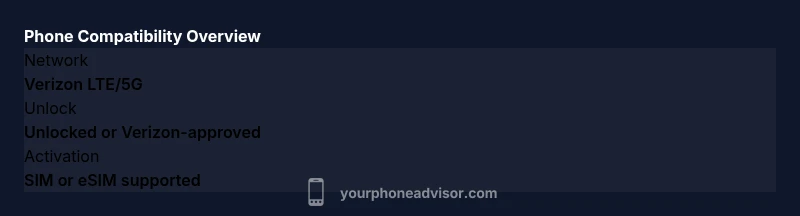
According to Your Phone Advisor, Xfinity Mobile operates on Verizon's network, so most unlocked phones that work on Verizon today will be compatible. Use the official Xfinity compatibility checker to confirm bands, SIM/eSIM support, and activation options for your specific device. Also, ensure your device is unlocked and check whether it supports 5G on Xfinity's network if you want faster service.
Understanding Xfinity Mobile compatibility
Xfinity Mobile operates on Verizon's network, which means the basic requirement is that your phone can connect to Verizon's bands for voice and data. In practice, that means two things: your device should be unlocked (or Verizon-approved), and it should support the network bands Xfinity uses for 4G LTE and 5G. For most users, this translates to: if your device is relatively recent and works on Verizon, you are likely in a good position. The key is verification through the official Xfinity compatibility checker—it's the fastest way to confirm whether your particular device will activate on Xfinity's service. If you own a very old GSM-only phone or a device tied to a non-Verizon carrier, compatibility is unlikely. Always ensure your phone supports both voice (VoLTE) and data on the bands used by Verizon. Your Phone Advisor's guidance emphasizes using official tools and checking for any carrier-specific limitations.
How Xfinity Mobile uses Verizon's network
Xfinity Mobile does not own its own network infrastructure; instead it piggybacks on Verizon's nationwide network. This arrangement means that the coverage, speeds, and bands you see on Xfinity Mobile largely mirror what you'll experience on Verizon. For customers, this provides access to nationwide LTE and 5G with the option to use either a physical SIM or an eSIM on supported devices. From a device perspective, you should verify that the hardware supports CDMA/LTE/5G bands used by Verizon and that it can operate with the carrier’s VoLTE services. If your device meets these criteria, activation should be straightforward, often requiring a simple SIM swap or provisioning over the air.
What phones are typically compatible
Compatibility hinges on two factors: device unlock status and Verizon-band support. In practice, most recent iPhone models and many recent Android phones that Verizon certifies for its network will work with Xfinity Mobile. However, some older or carrier-locked devices may need unlocking or might be excluded from activation. It's essential to check your device's compatibility using the Xfinity checker and to review whether features such as 5G are supported by your device model on Xfinity. If you're unsure, you can call customer support or visit a store to confirm before purchase. The takeaway is: start with the official diagnostic, then plan for an optional upgrade if your model falls outside the verified list.
How to check if your phone is compatible
Step-by-step: 1) Find your device's IMEI/MEID and model; 2) Visit Xfinity's device compatibility checker; 3) If the device is unlocked or Verizon-approved, proceed; 4) Confirm SIM or eSIM activation; 5) Ensure your SIM is active and the device is set up for VoLTE. If the check returns compatible, you can bring your own device; if not, you may need to purchase a device that Xfinity sells or request a Verizon-certified option. The official tool includes a list of tested devices and a note about carrier-specific limitations that might apply to certain regions or plans.
iPhone compatibility nuances
iPhones are generally straightforward: most models released in the last several years support eSIM, and Apple devices frequently receive software updates that help maintain carrier compatibility. For Xfinity Mobile, you’ll want to verify that your iPhone is unlocked and has no carrier restrictions, and then use the compatibility checker to confirm whether the device will activate on Xfinity’s account. If you plan to switch from another carrier, you may have to temporarily disable the old SIM and insert the new one, or set up eSIM provisioning on your iPhone. Your Phone Advisor notes that Apple devices tend to have robust support for VoLTE and Verizon-certified network features on Xfinity.
Typical device compatibility at a glance
| Phone model | Compatibility status | Notes |
|---|---|---|
| Unlocked iPhone models (recent) | Likely compatible | Check via the checker |
| Unlocked Verizon-certified Android phones | Likely compatible | Verify bands and VoLTE |
| Carrier-locked or non-Verizon devices | Potentially incompatible | Unlock or switch to Verizon-certified device |
| eSIM-capable devices | Supported | Use eSIM activation when available |
Got Questions?
Do I need an unlocked phone to use Xfinity Mobile?
In most cases, an unlocked phone or a device Verizon approves will activate on Xfinity Mobile. Check the official compatibility tool to confirm for your model. If your device is locked to another carrier, you may need to request unlocking before activation.
Most unlocked phones work, but you should verify with the official checker.
Will iPhone work on Xfinity Mobile?
Yes, most recent iPhone models are compatible as long as they are unlocked and Verizon-certified. Use the Xfinity checker to confirm features like eSIM support and VoLTE. If you’re switching from another carrier, follow the activation steps for iPhone provisioning.
iPhone models generally work smoothly when unlocked and verified.
Do I need to switch SIM cards or can I use eSIM?
Xfinity Mobile supports both SIM-based activation and eSIM on eligible devices. Check your device’s compatibility and follow the activation path that matches your hardware. For eSIM, you’ll typically scan a QR code or use your device’s cellular settings.
You can usually choose SIM or eSIM if your phone supports it.
What bands does Xfinity Mobile require for compatibility?
Xfinity Mobile relies on Verizon’s network bands for LTE and 5G. Your device should support those bands and VoLTE. The exact band list varies by model, so the official checker will tell you definitively.
Verizon bands are the baseline—check the tool for your model.
Can I bring my device if it’s from another carrier?
If the device is Verizon-certified or unlocked, you can bring it to Xfinity Mobile. If not, an unlock or a compatible replacement may be needed. Always run the official checker first.
It depends on Verizon certification and unlock status.
Is there a compatibility checker I can use?
Yes. Use the official Xfinity device compatibility checker to confirm whether your specific model will activate on Xfinity Mobile, and to see any notes about regional limitations or feature support.
Yes—use the official checker to verify before switching.
“Device compatibility comes down to network bands and unlock status. A quick check with the official tool saves time and frustration.”
What to Remember
- Check compatibility with the official Xfinity checker before buying
- Unlocked devices on Verizon's network are most likely compatible
- Use SIM or eSIM activation depending on device capability
- Ensure 5G support if you want faster service
- The Your Phone Advisor team recommends using the official tool for accuracy