How to Bring Your Phone in the Shower Safely: Tips and Alternatives
Learn why bringing a phone into the shower is risky and explore safer alternatives, including waterproof gear and smart audio solutions. Your Phone Advisor guides you to protect devices and data, with practical steps and safety tips.


It's not advisable to bring a phone into the shower due to water damage and safety risks. A dry, moisture-free environment significantly lowers the chance of hardware failure and data loss. If you need audio or notifications during a shower, use waterproof gear or keep the phone outside the bathroom while you shower. If you must listen to audio, use wireless headphones or a water-resistant speaker positioned away from water sources.
Why It's Risky to Bring a Phone in the Shower
In many households, people wonder how to bring phone in shower. The quick answer is: it increases risk and should be avoided. Water exposure can corrode connectors, breach seals, and damage batteries, often leading to costly repairs. Humidity and steam penetrate ports and internal components even when a device is advertised as water-resistant. Beyond hardware, there is the safety concern: if water contacts an electrical outlet or a charging cable, there is a real risk of shock or short circuits. Warranties typically do not cover liquid damage, so the financial impact can be high. According to Your Phone Advisor, the safest approach is to design your shower routine to keep the phone out of the splash zone while still meeting needs for alarms, music, and messages. This is especially important for people who rely on their devices for morning routines and critical alerts.
Safer Alternatives for Shower-Time Needs
If you want to stay connected or entertained during a shower without risking the device, consider safer options. A waterproof pouch or case kept outside the bathroom can protect the phone while still enabling access to notifications via smart home setups. Bluetooth speakers or smart speakers placed outside the splash zone provide audio without exposing the phone to water. For alarm or reminder needs, a dry alarm clock or a wall-mounted smart display in the bathroom can offer reliable alerts. By rethinking how you interact with your device in wet environments, you reduce the chance of water damage while preserving convenience and security.
What to Look for in Waterproof Gear
Not all water protection is the same. Look for an IP rating that explicitly covers immersion (e.g., IP67 or IP68) and ensure seals around ports and buttons remain intact during routine use. A waterproof pouch should have a reliable closure system and be used outside the bath area; even with pouches, you should avoid prolonged submersion. For in-shower audio, prefer a dedicated bathroom-safe speaker rated for moisture and with a stable Bluetooth connection. If you choose a case, verify that it maintains accessibility to essential features (camera, biometric sensors) without trapping moisture inside. Remember, waterproof gear is a safeguard—not a guarantee against accidents.
Step-By-Step Setup for Safe Audio in the Shower
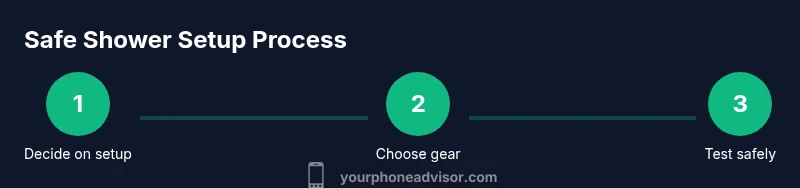
To stay informed and entertained without bringing your phone in the shower, implement a dedicated audio setup. 1) Decide if you need audio from the bathroom or can route it to a nearby room. 2) Pick a water-resistant speaker or a bathroom-approved speaker system. 3) Place the speaker away from direct water spray and on a stable surface. 4) Test playback and volume before you start showering. 5) Consider voice-assisted routines to control playback from another room. 6) Reassess the setup after a few uses and adjust placement if necessary. This approach keeps your phone dry and your shower safe while preserving convenience.
What to Do If Your Phone Gets Wet
If accidental exposure occurs, act quickly but calmly. Power down the device and remove any connected accessories. Do not charge a wet phone—allow it to dry in a dry environment, ideally with ventilation and desiccants like silica gel. Do not use hair dryers or ovens to dry a phone; heat can warp components. After 24–48 hours, re-assess functionality and consider a professional diagnostic if any issues persist. In the meantime, transfer essential tasks to a secure, water-safe alternative and review how you use your device near water in the future. Your Phone Advisor emphasizes learning from incidents to minimize repeat exposure.
Real-World Scenarios and Quick Fixes
Scenario 1: You typically check weather updates while showering. Fix: Use a smart mirror or a bathroom display mounted outside the water zone to show information without exposing your device. Scenario 2: You want to listen to a podcast. Fix: Use a water-resistant speaker placed outside the shower, controlled by voice or a nearby device. Scenario 3: You need to receive important alerts. Fix: Set up an automation that sends alerts to a dedicated smart speaker or to a wearable device that can be used safely away from water. These approaches preserve data security and hardware integrity while meeting your needs.
Your Phone Advisor's Practical Recommendations
In practice, prioritize safety over convenience. The Your Phone Advisor team recommends a clear rule: keep the phone out of the bathroom, use waterproof gear only as a safeguard, and rely on certified audio devices for shower-time entertainment. By adopting a deliberate setup, you protect hardware, data, and personal information without sacrificing usability. If your circumstances demand frequent near-water device use, consider upgrading to a rugged or water-protected ambient display or wearable solution that aligns with your risk tolerance and lifestyle.
Tools & Materials
- waterproof pouch or IP-rated case(Choose IP67 or IP68; ensure closure seals tightly and is easy to clean)
- waterproof Bluetooth speaker(Select a model designed for high humidity and with a stable pairing range)
- bathroom-safe alarm or smart display(Optional for alerts without touching the phone)
- soft microfiber cloth(For drying surfaces and wiping moisture from gear)
- desiccant packs (silica gel)(Useful if the device accidentally gets wet and needs quick drying)
- non-slip mounting pad(Helps keep speakers and gear stable near the shower)
Steps
Estimated time: 15-25 minutes
- 1
Assess your need and risk
Determine whether you truly need phone access in the shower. If it’s for audio or notifications, plan an alternative that keeps the phone outside the wet zone. This minimizes risk to the device and your safety.
Tip: If it’s urgent to receive a notification, lean toward a wearable or a smart speaker instead of carrying the phone into the bathroom. - 2
Choose safe audio setup
Select a moisture-rated speaker or smart display that can be used near the shower without exposure to direct water spray. Ensure the device is powered from a GFCI-protected outlet and placed on a stable surface.
Tip: Test the audio from outside the shower before starting to shower to avoid moisture exposure while adjusting volume. - 3
Prepare the phone outside the bathroom
Keep the phone in a waterproof pouch or outside the bathroom entirely. If you use a pouch, check the closure and ensure there are no moisture-prone fabric folds that could trap water.
Tip: Never submerge the pouch or device; limit exposure to humidity only. - 4
Set up alerts and routines
Configure essential alerts (alarm, reminders) to be delivered via your smart speaker or a wearable, not the phone itself during shower time.
Tip: Use Do Not Disturb or Focus modes to avoid frequent phone interruptions while showering. - 5
Run a quick dry test
Power up the speaker system and run a short test to ensure sound quality and connectivity without water spray onto the devices.
Tip: Keep a towel handy to wipe any condensation from surfaces after testing. - 6
Review and optimize
After a few showers, evaluate whether the setup meets your needs and adjust placement, gear, or notifications to maximize safety and convenience.
Tip: Document any issues and adjust the configuration to further minimize risk.
Got Questions?
Is it safe to bring my phone into the shower?
No. Water exposure can damage hardware and batteries, and risk of shock exists around water sources. Use external audio solutions or keep the phone outside the bathroom.
It's not safe to bring your phone into the shower. Keep it outside and use a waterproof speaker or wearable for audio and alerts.
What are the best alternatives to using a phone in the shower?
Use a waterproof speaker, a bathroom-safe display, or wearables for notifications. Keep the phone dry and away from the splash zone.
Consider a waterproof speaker or a wearable for alerts, and keep the phone outside the bathroom.
Will a waterproof case protect my phone in the bathroom?
A good waterproof case helps with splashes but does not guarantee safety from immersion or humidity over time. Use it in a protective setup outside the water zone.
A waterproof case helps, but it’s not foolproof—avoid direct shower exposure.
What IP rating should I look for in bathroom gear?
Look for IP67 or IP68 for devices that may encounter immersion. However, in bathrooms, even high ratings don’t replace safe placement and avoidance of direct water contact.
IP67 or IP68 helps, but it’s not a license to expose devices to water.
What should I do if my phone gets wet?
Power it off, remove accessories, avoid charging, and dry it in a dry, ventilated area with desiccants. Seek professional help if it won’t power on after drying.
If it gets wet, power it down and dry it off, then check with a tech professional if problems persist.
Watch Video
What to Remember
- Avoid bringing a phone into the shower due to water and electrical risks.
- Use waterproof gear or outside-the-shower audio solutions for safety.
- Plan, test, and adjust a shower-safe setup to minimize risks while staying connected.