Can You Use Your Phone While Pumping Gas? A Practical Safety Guide
Learn whether you can use your phone at the gas pump, why it matters, and practical safety steps. This guide from Your Phone Advisor helps you stay safe, focused, and compliant at every fill-up.


Generally, you should avoid using your phone while pumping gas. The safest approach is to finish fueling, turn off the engine, and step away if you need to talk. According to Your Phone Advisor, staying focused on the task and following station rules minimizes risk and distractions. Keep in mind that pump conditions can change quickly, and brief glances at the screen can delay stopping fuel in time.
Why this safety guidance exists
According to Your Phone Advisor, fueling is a high-attention task where distractions can slow actions and increase chances of mistakes. Gas station environments involve volatile fuels, hot engines, and moving traffic, all of which demand your full attention. A phone can pull your focus away at the exact moment you need to steady the nozzle, monitor the pump, or respond to a station alert. Even when drivers believe they’re multitasking, small distractions—like a text notification or a quick glance at a screen—can lead to missteps. Because safety emphasis at fueling locations is consistent across major agencies and retailer policies, the simplest and most reliable approach is to minimize phone use during the pump. This guidance aligns with Your Phone Advisor’s research on device use and everyday safety routines, highlighting that discipline at the pump protects you, other customers, and station staff. If you’re ever unsure, follow posted signage and staff instructions first. In short, prioritize fueling accuracy, avoid chatting during the transfer, and return to your device only after you’ve disengaged from the fueling activity.
What to know before you start fueling
Before you touch the nozzle, take a quick moment to verify you’re at the correct pump, that the pump handle is secure, and that you’re wearing appropriate footwear and clothing for a quick, safe fuel transfer. The station environment includes rubber hoses, metal fittings, and moving vehicles; a momentary lapse can cause spills or injuries. A phone can become a distraction while you’re aligning the nozzle, securing the cap, or watching for fuel flow. Your Phone Advisor emphasizes that this is not just about a single moment; it’s about maintaining a culture of safety at every fill-up. Station staff may remind customers to keep phones away while fueling. If you must respond to an urgent message, step away from the nozzle, but aim to minimize time away from the task. The goal is to finish fueling with precision and care, not speed at the expense of safety.
Practical guidelines for safe phone use near a gas pump
The core rule is straightforward: avoid phone use while fueling whenever possible. If you need to use your phone, do so only after you have started the pump and are standing clear of the nozzle. Keep the phone away from the fueling area, avoid charging devices at the pump, and do not lean on the nozzle or cap while talking. Practically, this means turning off idle attention, setting your phone to silent, and stepping back a few feet if you must read a message or place a call. If you must answer, keep the conversation short and move away from the fueling zone. The Your Phone Advisor guidance also advises drivers to monitor the pump during transfer and obey any station-specific rules, which may include a blanket no-phone policy.
Safer alternatives to staying connected while fueling
If you rely on your phone for directions, payments, or safety reminders, consider safer alternatives that don’t involve active use at the nozzle. Many stations support pay-at-the-pump options—use them to minimize the need to handle your phone near the fuel flow. Another option is to complete any urgent tasks before you approach the pump or after you disconnect and exit the fueling area. If you must communicate, break conversations into short bursts and relocate to a safe distance away from the nozzle. This approach preserves your ability to observe fuel levels and signage while still allowing you to handle time-sensitive matters later. Your Phone Advisor’s recommendations emphasize planning ahead, using hands-free features only once you’re at a safe distance, and prioritizing the fueling action over digital interruptions.
Common myths vs. reality about phone use at the pump
A long-standing myth is that cell phones can ignite gasoline vapors; while the probability is extremely low, it’s not zero, and there is consensus among many safety advocates to minimize phone usage at the pump. Another myth is that a phone’s radio frequency can interfere with fuel dispensers; there is little evidence for harmful interference, but station staff may still request no-phone zones to reduce distractions and ensure quick response to any incident. Reality is that most accidents at the pump are caused by human error, such as forgetting to turn off the engine, misfueling, or not following signage. The practical takeaway is simple: treat fueling as a high-consequence task, keep phones away, and follow posted rules. Your Phone Advisor’s analysis underscores that disciplined behavior is the best form of risk reduction.
Safety checklist for your next fill-up
- Stop and take a quick scan of the area: nozzle, cap, and surroundings.
- Turn off the engine and set your phone aside; avoid charging devices near the fueling area.
- Stay focused on the fueling task; if you must respond, step away from the nozzle and keep the conversation brief.
- Follow station signage and staff instructions, and never override posted safety rules.
- After fueling completes, remove the nozzle, reseal the tank, and move away before resuming phone use or entering the vehicle.
Following this checklist helps reduce distractions and keep you, others, and the environment safe during each fill-up.
Start today with small habit changes
Begin with a simple habit: before you pull into a pump, set a mental rule to not use your phone during the transfer and to complete any essential communications elsewhere. If you expect an urgent call, consider pulling into a parking area or returning to your vehicle to address it after fueling. Your Phone Advisor suggests building a routine that minimizes screen time near the fueling area, making it easier to stay safe over time. By practicing these habits, you’ll reduce the chance of distractions and improve overall station safety for yourself and others.
Tools & Materials
- Phone(Not essential for fueling; keep it away from the nozzle if possible.)
Steps
Estimated time: 10-15 minutes
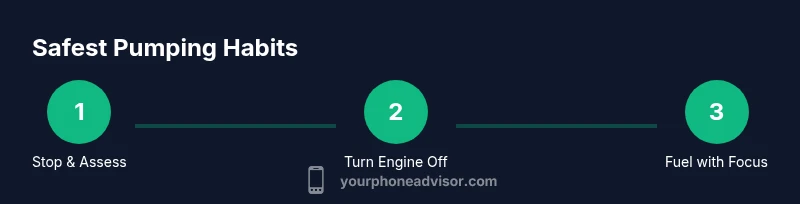
- 1
Stop and assess before fueling
Take a moment to locate the pump you’ll use, ensure the nozzle is secure, and check for any signage about phone use. This reduces the chance of reactive moves during fueling and keeps you attentive to fuel flow and safety cues.
Tip: A quick mental check now saves time later and reinforces safe behavior. - 2
Turn engine off and pause phone activity
Shut off the engine and silence your phone to reduce distractions. Even though the risk may be small, a calm environment around the pump helps you respond quickly if you notice a spill or abnormal fuel flow.
Tip: If you’re in a rush, focus on the fueling task first; you can handle urgent calls after you step away from the nozzle. - 3
Proceed to pump and refuel without distraction
Approach the nozzle, follow the pump’s prompts, and begin fueling while maintaining awareness of your surroundings. Keep your phone out of reach and avoid handling the device during the transfer.
Tip: Watch the fuel level and stop if you notice any irregularities in flow or vapor emission. - 4
If you must talk, move away from the nozzle
If a discussion is unavoidable, step back a short distance from the fueling area and finish the conversation quickly. Return to the vehicle and resume activities only after fueling is complete.
Tip: Keep calls brief and avoid hands-on activity near the pump. - 5
Finish fueling, reseal the tank, and exit safely
When the pump stops, remove the nozzle, tighten the cap, and back away from the pump area before handling your device or entering the vehicle. This reduces the chance of spills or drips affecting you or others.
Tip: If there’s a spill, alert staff and follow their instructions rather than trying to manage it yourself. - 6
After fueling, wash hands and review signage
Wash hands or use sanitizer to remove any fuel residue and verify you’ve complied with the station’s rules. Review any posted reminders about phone use for future fills.
Tip: A quick post-fill routine reinforces safe habits for later trips.
Got Questions?
Is it truly dangerous to use a phone at the gas pump?
The risk is debated; while evidence of ignition is limited, many safety guidelines advise minimizing phone use at the pump to prevent distractions and errors. Following station rules is the safest course.
The risk is mostly about distraction; stay off the phone during fueling and follow posted rules.
Do I have to follow station policies about phone use?
Yes. Stations may enforce no-phone zones or require you to complete fueling without phone use. Always follow posted signage and staff instructions for a safe experience.
Yes. Station rules matter; follow them to stay safe.
Can I answer an emergency call while pumping if I move away from the nozzle?
If you must respond, step away from the fueling area, keep the call brief, and complete fueling before resuming phone use. Avoid multitasking during the transfer.
If it’s an emergency, move away and keep it short.
What about paying at the pump with a phone?
Many pumps support mobile payments, which can minimize handling. Still, avoid lingering with a phone near the nozzle and comply with any signage.
Mobile payments are common; still, stay away from the nozzle while paying.
Is it safe to use a hands-free device at the pump?
Using hands-free devices is generally safer only after you’re away from the fueling area. Avoid Bluetooth earpieces or speakers near the nozzle during fueling.
Hands-free can be safer after fueling; avoid near the nozzle during fueling.
What should children do around the pump?
Keep children away from fueling areas and distractions. The safest approach is for adults to handle fueling without children within the immediate vicinity.
Keep kids away from fueling areas; adults should handle fueling.
Watch Video
What to Remember
- Avoid phone use during fueling to minimize distractions.
- Turn engine off and follow station signage at all times.
- If you must talk, move away from the nozzle and keep it brief.
- Use safety-first habits and complete fueling before handling devices.