Can Android and iPhone FaceTime Work Together? A Practical Guide
Can Android and iPhone FaceTime together? Learn how to join via web links, platform limits, setup steps, and practical cross-device options for everyday use.


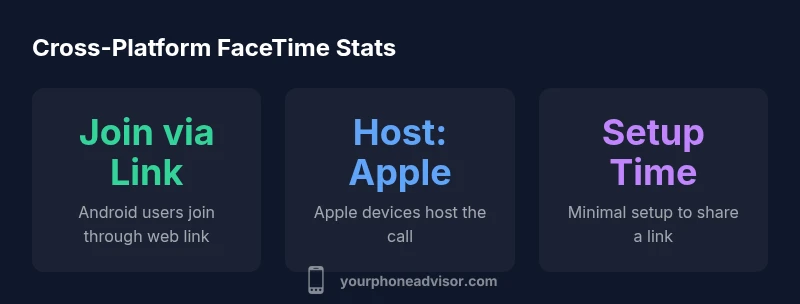
Yes, with caveats. Android can join a FaceTime call hosted on an iPhone or Mac by using a shared FaceTime link that opens in a web browser. Android cannot host a FaceTime call itself, and some features may be limited on mobile browsers. To get started, the iPhone user creates a link and shares it with the Android user.
Can Android join a FaceTime call hosted on an iPhone?
From a user perspective, can an android phone and iphone facetime happen? The short answer is yes, but with important caveats. Apple’s FaceTime now supports joining calls via a web link, which means an Android user can participate in a call started by an iPhone or Mac. There isn’t a separate FaceTime app available for Android, so you won’t be installing FaceTime on that device. Instead, you’ll access the call through a web browser. This subtle shift—from a native app to a web-based join—shapes how you prepare, share, and interact during the call. If bandwidth is limited or devices are older, you may prefer audio-only mode to preserve clarity. The workflow hinges on the host sending a link and inviting a guest rather than the guest initiating a standalone meeting from Android.
How FaceTime works across platforms
FaceTime on Apple devices remains the host of the session, but cross‑platform participation is achieved through a temporary web session. When the host creates a FaceTime link, anyone with the URL can join using a supported browser on non‑Apple devices. This means Android, Windows, or Linux users can participate in the same call, but some features that exist in the native app may be unavailable in web mode. For example, you’ll typically get basic video and audio, with screen sharing and certain controls possibly limited by the browser and platform. The key takeaway is that the platform barrier is lowered through a web interface, not a separate Android app.
Supported browsers and devices to join FaceTime on Android
Android users can typically join a FaceTime call using major mobile browsers such as Chrome or Edge. Availability can vary by browser version and OS level, so updating the device helps. It’s also prudent to use a stable network connection and enable camera and microphone permissions for the browser. While the experience is generally smooth, expect occasional quirks depending on the device model, browser, and network conditions. Apple’s web-based joins are designed to be straightforward, but not all features from the native app may be present.
Hosting a cross-platform FaceTime call: Steps for iPhone users
If you’re hosting from an iPhone, start by opening the FaceTime app and selecting “Create Link.” Share this link through a message, email, or calendar invite with your Android friend. When the recipient taps the link, it will launch a browser and join the call. Before sending, confirm your permissions: ensure microphone and camera access are enabled for the hosting page, and explain to your guest that they will join via web. If you plan to reuse the link, set an expiry or limit the participants to maintain privacy.
Limitations and caveats to expect
Cross‑platform joining is a powerful bridge, but it isn’t perfect. Web joins may not support all features available in the native iPhone/Mac FaceTime experience, such as certain screen-sharing options or reactions. Video quality can be influenced by network speed and browser performance. Additionally, hosting remains exclusive to Apple devices, so Android users cannot start a new FaceTime session without an Apple host. Be prepared for occasional browser prompts or permission requests that require user action.
Security and privacy considerations
FaceTime is designed with strong privacy protections, and joining via a web link preserves end‑to‑end encryption for the call itself. However, sharing a link expands the audience at the moment of invitation, so only send links to trusted participants. If you’re sensitive about who can join, use time-limited links and revoke access after the meeting ends. As always, keep your devices updated to reduce the risk of browser-specific vulnerabilities.
Alternatives for truly cross-platform video calls
If you frequently need joint cross‑device conversations with Android and iPhone users, consider alternatives that offer native cross‑platform support. Google Meet, Zoom, WhatsApp, or Skype provide robust cross‑platform video calling with consistent interfaces across devices. For users prioritizing privacy, review each platform’s security settings and end‑to‑end encryption options. Your choice may hinge on how often you call across platforms and which features you value most (screen sharing, recording, or chat).
Tips for a smoother cross‑platform experience
To maximize reliability, use a stable Wi‑Fi connection when possible and disable high‑bandwidth features unless needed. Keep your browser up to date, close unnecessary apps, and ensure your microphone and camera permissions are granted. If either party experiences dropped audio or freezing video, try turning off video on one end to conserve bandwidth, or switch to audio only for the remainder of the call. Practicing a quick test call ahead of time can prevent surprises during the main meeting.
What changed in 2026: FaceTime on the web evolves
In 2026, Apple expanded FaceTime web support and performance enhancements on non‑Apple devices. The focus has been on reducing latency, improving compatibility with popular browsers, and tightening privacy controls for web joins. This evolution makes cross‑platform FaceTime calls more practical for everyday use, especially for households with mixed devices. Stay informed about updates to both iOS/macOS and Android browsers to take full advantage of new features.
FaceTime cross-platform capabilities
| Scenario | Host Platform | Can Host | Can Join on Android? | Notes |
|---|---|---|---|---|
| Cross-platform call via link | iPhone/macOS | Yes | Yes via link | Android joins through a web link; host remains on Apple device |
| Android hosts not supported | Android | No | N/A | Requires an Apple host for joining |
| Web join experience | Any platform with compatible browser | N/A | Yes | Depends on browser and network quality |
Got Questions?
Can I host a FaceTime call on Android?
No. Android devices cannot host a FaceTime call. Hosting is restricted to Apple devices, and Android users can only join via a web link created by the host.
Android cannot host FaceTime; it can only join via a link provided by an Apple host.
Can Android users join FaceTime calls on iPhone?
Yes. Android users can join a FaceTime call by opening the link shared by the host in a supported browser on Android.
Yes, Android users can join via the link in a compatible browser.
Do you need the latest OS to use FaceTime web joining?
You should have an up-to-date iOS or macOS for hosting and a modern Android browser to join. Compatibility can vary by browser and device.
You’ll want the latest software on both sides for best results.
Is FaceTime encryption preserved when joining via web link?
Yes. FaceTime calls maintain encryption when joined through the web link, though link sharing introduces access controls that you should manage.
End-to-end encryption remains in place for web joins, with careful link sharing.
What limitations should I expect when joining from Android?
Web joins may lack some native-app features and can depend on browser compatibility. Network quality also affects performance.
Expect possible feature gaps and variable quality based on network.
What are good cross-platform alternatives for regular use?
Zoom, Google Meet, WhatsApp, and Skype all offer strong cross‑platform video calling with more uniform experiences across devices.
Consider Zoom or Google Meet for consistent cross‑platform calls.
“FaceTime remains primarily an Apple experience, but the web join option is a valuable bridge for cross‑device conversations.”
What to Remember
- Host FaceTime on Apple devices to initiate cross-platform calls
- Android joins through a web link, not a native app
- Some features may be limited in web mode
- Use a stable browser and network for best results
- Consider cross-platform alternatives when needed