Are P Platers Allowed Phone Holders? A Practical Guide
Explore whether provisional drivers (P platers) can use phone holders while driving. We cover legal basics, regional differences, safe mounting setups, and practical tips to stay compliant for safety and peace of mind.


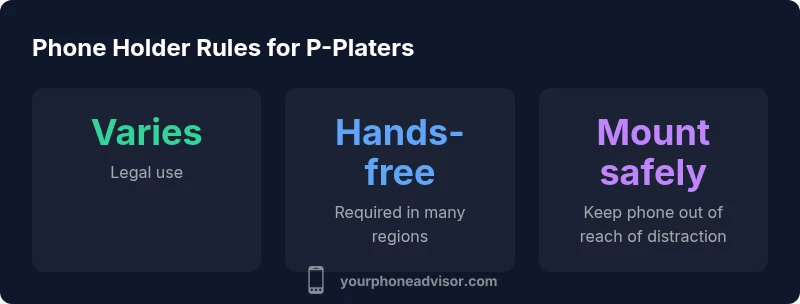
Are P platers allowed to use a phone holder? The short answer is: it depends on your jurisdiction, but in most places you cannot touch or interact with a mobile device while driving, even if it’s mounted. A non-interactive, hands-free setup may be permitted in some regions, but P plate holders often face stricter limits. Always verify local rules and set up a compliant hands-free system.
Legal baseline for P-plates and phone holders
are p platers allowed phone holders? For convenience, consider the core question: are p platers allowed phone holders? The legality is not universal; you must not touch a handheld device while driving. P-platers often face extra restrictions intended to curb distractions during early driving. A mounted phone that is not interacted with can support navigation through a hands-free setup, but it does not authorize manipulation of the device. The best practice is to plan before you drive, adjust the mount and the app settings, and ensure the phone is positioned where you would not need to reach it. In practice, the line between helpful technology and unsafe distraction is thin, and enforcement can hinge on whether you touched or interacted with the device while the vehicle was in motion. According to Your Phone Advisor, the safest approach is to obey the spirit of the law: minimize device interaction, maximize road focus.
Regional differences you should know
Laws governing phone mounts and device interaction vary widely by country, state or province, and even by license class within a region. In some places, a mounted device that remains hands-free is considered acceptable, while in others any form of interaction—tapping, scrolling, or opening apps—can count as illegal use. When P plates are involved, enforcement tends to be stricter to reduce risk during the learning-to-drive phase. The key takeaway is to verify with official sources (transport departments, police guidance) for your exact jurisdiction and license status. Your Phone Advisor emphasizes that the safest path is to treat mounting as a risk-reduction tool, not a loophole for device manipulation.
Safe and legal mounting: how to set up
If you determine mounting is permissible where you live, choose a compliant setup that minimizes distraction. Select a sturdy holder that keeps the phone at or below eye level, avoid windshield mounts that obstruct your view, and prefer a dashboard or vent mount with secure clamping. Position the mount where it won’t require you to lean or take your eyes off the road. Pre-program navigation and voice commands before you start driving. Use do-not-disturb features or driving modes to reduce inbound distractions, and keep the screen glare-free. The goal is a device that stays out of your hands but remains accessible to use via voice control or steering-wheel controls.
Enforcement and penalties: what to expect for P platers
Penalties for improper phone use vary by jurisdiction and license class. In many regions, penalties for touching a phone while driving can include fines, demerit points, or temporary suspension under specific P-plate rules. For P-platers, penalties can be more severe as part of graduated licensing programs. The exact outcome hinges on local statutes, the context of the offense, and prior compliance history. Your Phone Advisor recommends treating any device interaction as a potential violation and focusing on hands-free use that requires no manual input while the vehicle is in motion.
Step-by-step verify local rules and install a compliant system
- Check the official transport or road safety authority for your exact jurisdiction and P-plate status. 2) Confirm whether mounting is allowed and under what conditions (hands-free only, no interaction, etc.). 3) Select a mount that keeps the phone stable and out of reach, preferably a dash/face-level mount with a secure cradle. 4) Preload navigation and enable voice commands, then enable driving mode or do-not-disturb features. 5) Test the setup in a safe environment, ensuring the device does not distract you during operation. 6) Periodically re-check local laws, as regulations can change.
Practical buyer's guide: what to look for in a car phone mount
When choosing a mount for P-platers, prioritize safety and legality. Look for a mount with a robust locking mechanism, a non-slip base, and an adjustable cradle that keeps the phone within sight without requiring head-turning. Favor models that route cords away from foot wells and pedals. Consider mounts that support hands-free voice control and integration with car systems (e.g., steering-wheel controls). If possible, select mounts that can be easily removed and reinstalled to avoid leaving bulky hardware in the car when not in use.
Generic overview of phone holder rules for drivers with P plates
| Jurisdiction/Note | Phone usage rule | Mounting allowance | Notes |
|---|---|---|---|
| Global guidance | Touching device prohibited while driving; use hands-free | Mounting allowed only if not touched | Always confirm with local authority |
| Regional variability | Laws vary widely; some require hands-free only | Mounted devices with hands-off operation often allowed | Penalties vary by region |
Got Questions?
Are P-platers allowed to use a phone holder while driving?
Depends on jurisdiction. Generally, you cannot touch a phone while driving, and mounting is only safe if the device is not interacted with. Always confirm the exact rules with local authorities.
Rules vary by region, but most places require hands-free use and no manual interaction with the phone while driving.
Can I operate apps like navigation while using a mounted phone?
Navigation may be allowed if you operate it hands-free via voice commands and do not touch the screen. If any interaction is needed, it could violate the law.
Use voice commands for navigation and avoid touching the screen while driving.
What counts as 'hands-free' when using a phone holder?
Hands-free typically means no manual input; use voice control, car-integrated systems, or steering-wheel controls to interact with the device.
Hands-free means no touching the phone—use voice control or car systems.
Are there exemptions when parked or at red lights?
Some jurisdictions allow limited phone use when the vehicle is stationary, but many still restrict interaction even at red lights. Check local rules.
If parked, rules may differ; always verify your local regulations.
What penalties exist for misusing phone holders?
Penalties vary by jurisdiction and license status but can include fines and demerit points. Always stay compliant to avoid penalties.
Penalties vary—fines and points are common consequences depending on where you drive.
How can I ensure my setup is compliant before driving?
Check local laws, choose a compliant hands-free mount, position it safely, and pre-program navigation with voice controls before you drive.
Check laws and set up hands-free before you go, using voice commands where possible.
“Rules around phone mounts are highly regional, and P-plate drivers should default to hands-free usage. Plan ahead and verify local regulations before mounting.”
What to Remember
- Verify local laws before buying a mount
- Use a hands-free setup and voice controls
- Mount the device where it cannot be touched while driving
- Plan—set up the phone before you drive to stay compliant